So, I think I’ve found the solution. Here are the additional steps I carried out.
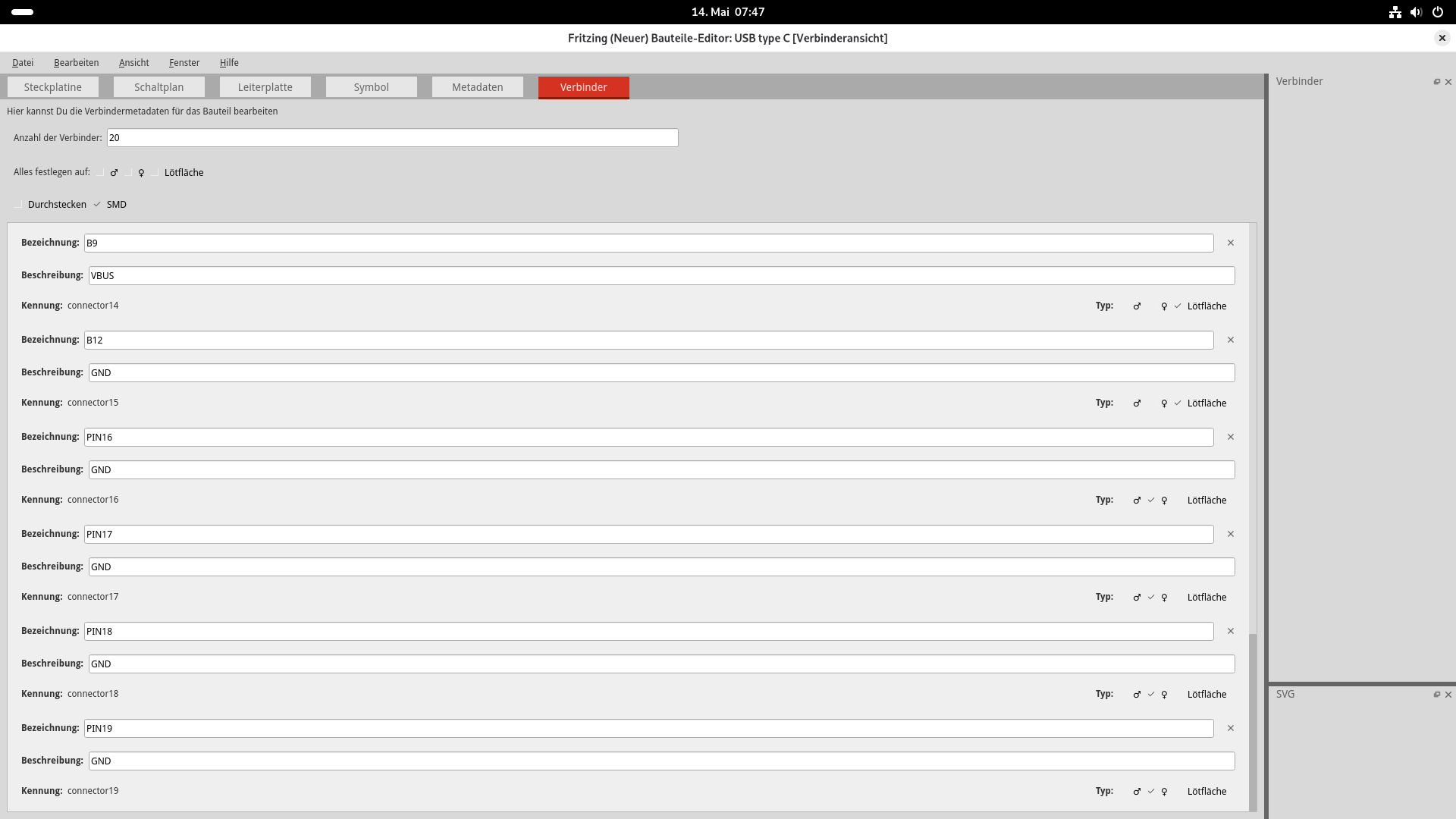
Checked the part with fzp_checker.py and fixed a few errors.
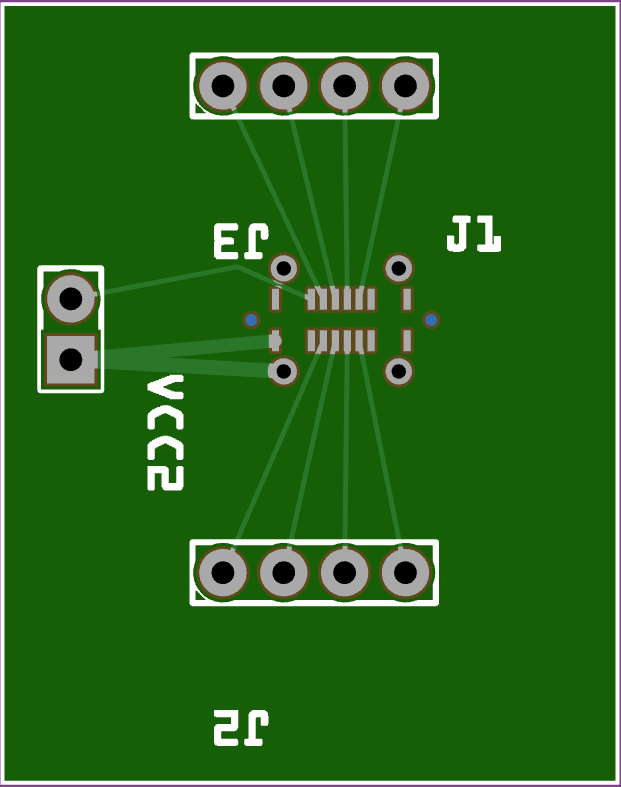
Used this part to adjust the PAD.fzz file. In the PAD.fzz file, I added a via hole (PCB view tab in CORE) exactly over the mounting hole for the connector.
Ailser accepted that and gave me a THT hole for the connector. I think we’re really close now.
Top view:
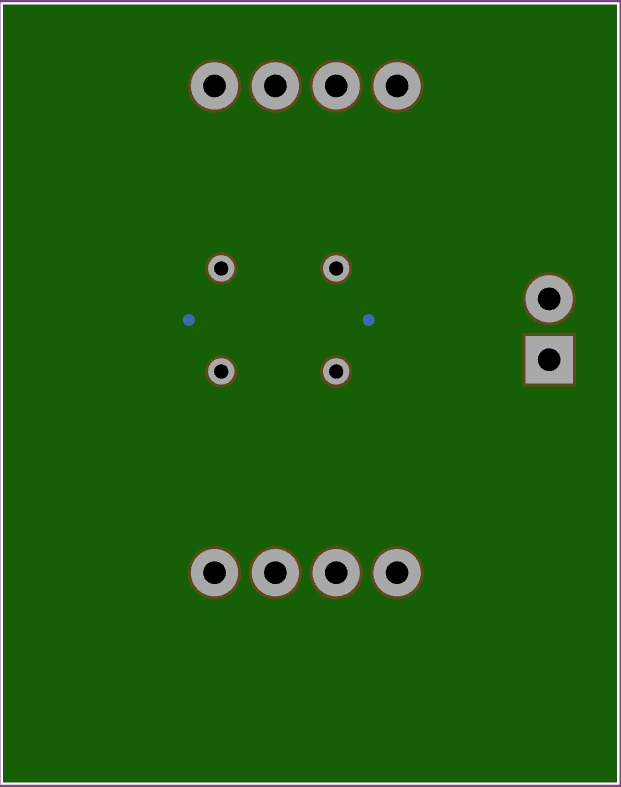
Bottom view:
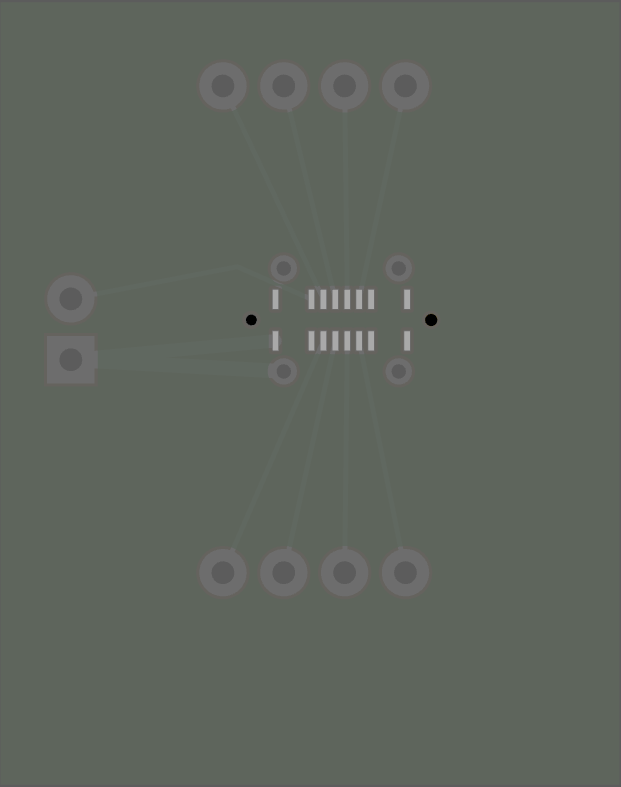
Stencil view:
Sample file:
PAD.fzz (32.3 KB)
Component:
USB-C-molex-217182-0001.fzpz (25.3 KB)
Happy Father’s Day to you!
Best regards, Harald!
Hello Harald, hello KjellM,
I’ve been playing around with it all evening. So I placed a via on each of the 4 outer shield pins. I think this will be a usable workaround. The vias align surprisingly well. The via needs to be connected to the shield to avoid a DRC error.
Aisler also reports no error and the stencil cut-outs fit. Great!
However, I noticed 2 more things:
- The square SMD pads are causing a DRC error. The complaint here is that copper is missing on the bottom layer. Can this be changed so that it no longer triggers an error? It’s correct that there’s no copper on the bottom…
- In the PCB view, hovering the mouse over the outer shield connections shows the label GND. Can that be changed to Shield?
Good morning Ralf,
I thought the error was caused by the spacing between the pads being too small, leaving no room for the solder mask. However, it could also be that the combination of SMD pads and THT mounting holes is the cause.
Is it still possible to have it manufactured?
Otherwise, one solution would be to replace the THT mounting holes entirely with black through-holes and then place the vias. I would then remove copper0 entirely. The capacitor would then need to sit against the vias.
Changing the label is quick — you could do that yourself in the editor. If you right-click on the component and select “Edit component”, the component editor opens. In the “Connector” tab, the “Label” field determines what appears on mouse-over.
Regards, Harald!
Hi Harald,
thanks for your patience.
The mouse-over labels were changed right away. A valuable tip from you.
The DRC should run without errors, and it did in the previous versions after lowering the allowed clearances. The USB connector will later go onto a large PCB. I definitely want to use DRC there.
Could you make me another version where the shield is omitted entirely, with only the outer black through-hole pads? I’ll place a via over the black through-hole pads. Connection then only via via. I’d definitely like to test it.
Done, I made it right before my morning coffee.
I also gave the component a different ID so you can keep both parts in the library.
USB-C-molex-217182-0001-via.fzpz (24.9 KB)
Cheers, Harald!
USB-C_2.fzz (52.1 KB)
I routed a small test PCB under realistic conditions using the latest version of the USB-C socket. See attachment. For the 4 vias placed on top, the DRC unfortunately throws errors (trace and via overlap). Is there another way to solve this? Maybe no hole, but just a small silkscreen marker?
I also added ground planes to the PCB. Aisler then complained that the clearance to the two central through-holes on the USB socket was too small. I was able to fix that in Fritzing using a copper fill blocker.
Yes, marking is definitely possible. I already tested that in one variant at some point. I’ll do it tomorrow or tonight!
Best regards, Harald!
So, as a marker, I left the black hole at 0.6 mm in the silkscreen. I reassigned the ID so that you now have three variants to test.
USB-C-molex-VIA.fzpz (29.9 KB)
Regards, Harald!
This looks very good. I placed vias with a hole diameter of 0.6mm / ring thickness of 0.3mm over the 4 outer markers and aligned them precisely. Created a small test board: DRC runs through without errors, no error messages from Aisler, and the stencil cut-outs look perfect.
Ordered it directly from Aisler. Also ordered the stencil at the same time. Will report back on how it goes…
USB-C_test.fzz (66.4 KB)
…I’m very glad to hear that!
All the best for your project. I look forward to the report!
Best regards, Harald!
Hi,
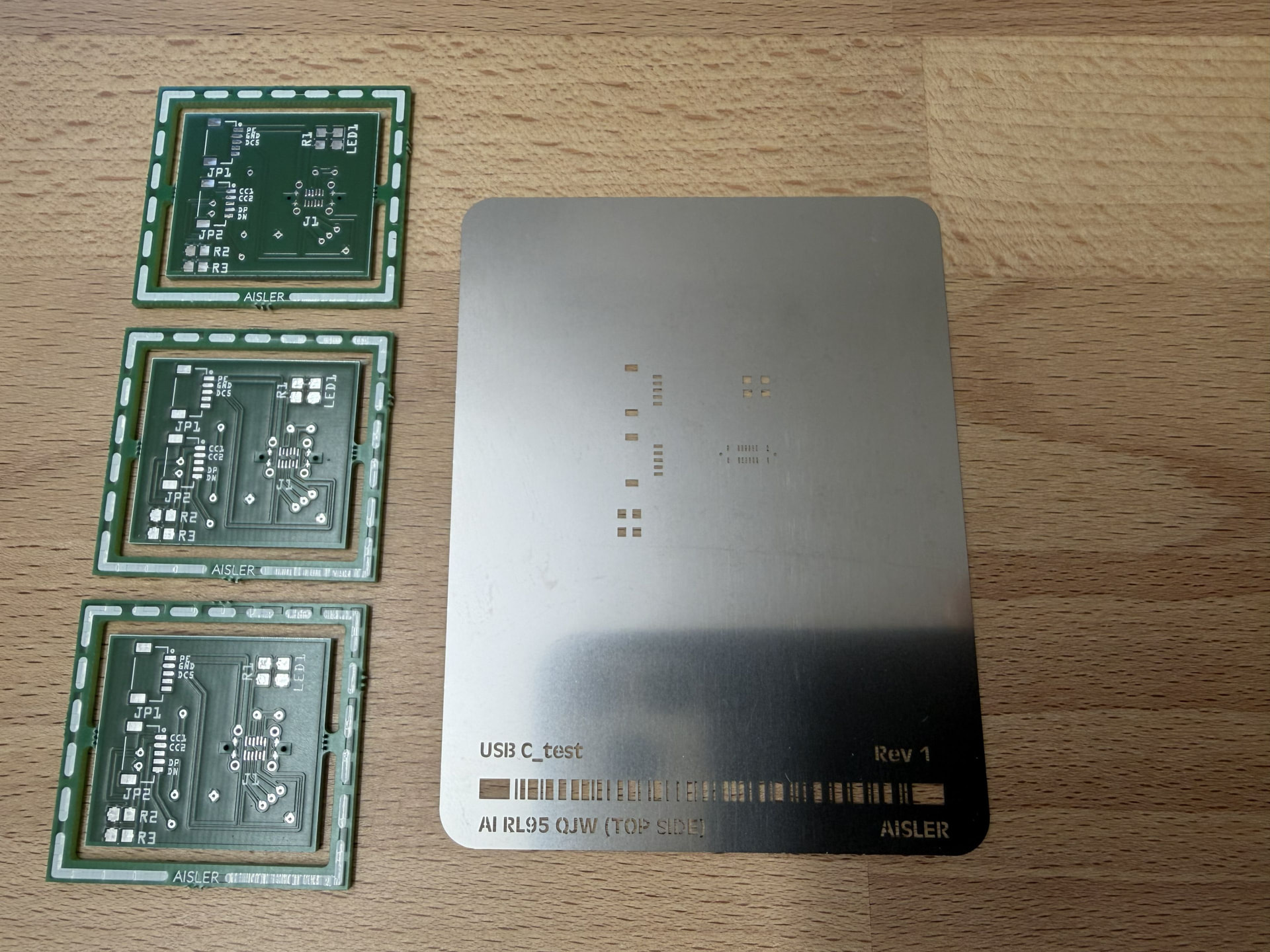
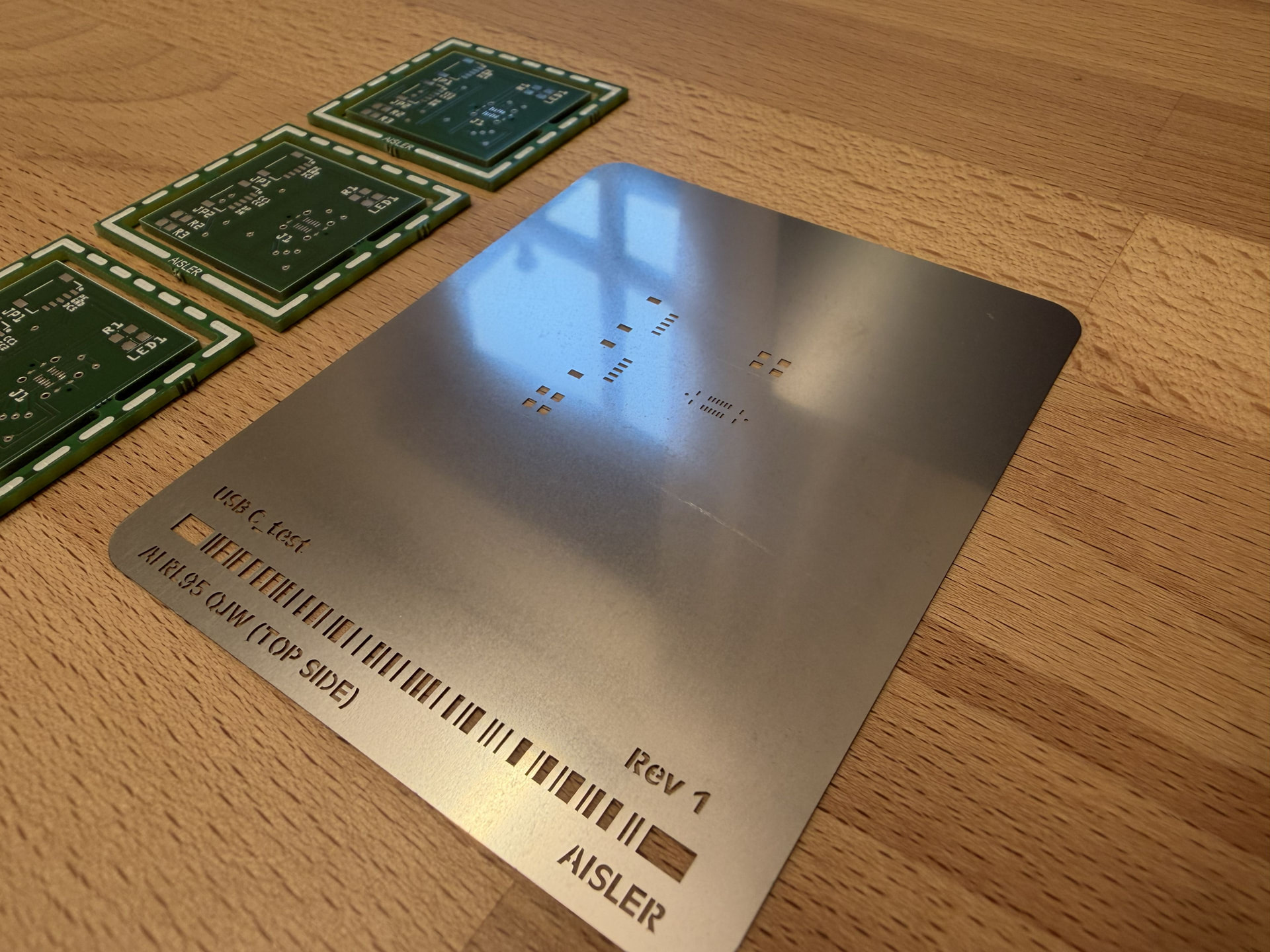
Aisler was quick and delivered. It’s the first time I’ve held a stencil in my hands. Here are some photos of the result:
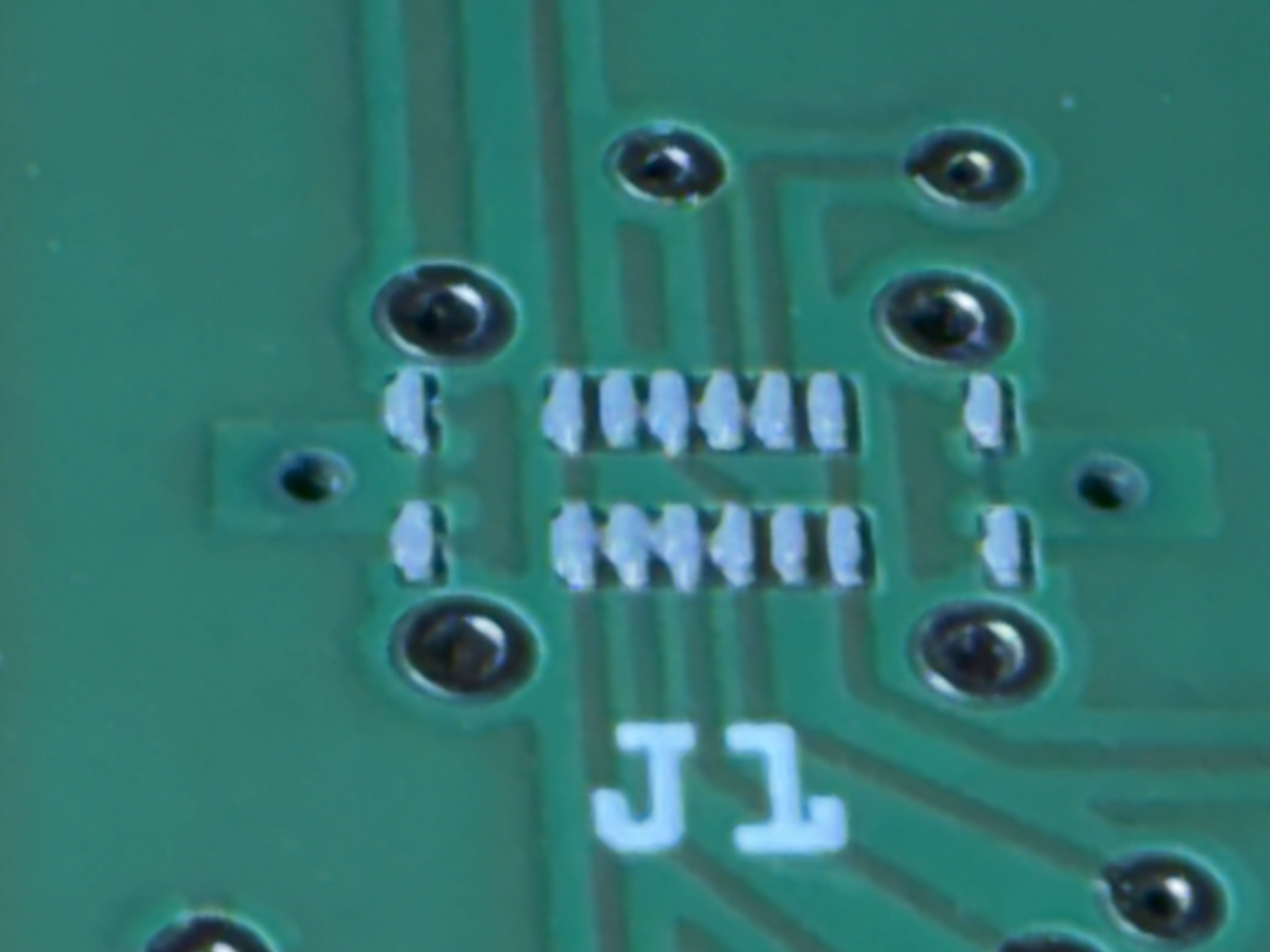
Then applied solder paste using the stencil. The two through-holes for the USB-C socket should ideally not be in the stencil. I taped over the two holes to prevent solder paste from getting in. Here’s the result (camera 8x zoom):
Component placed, (camera 8x zoom):
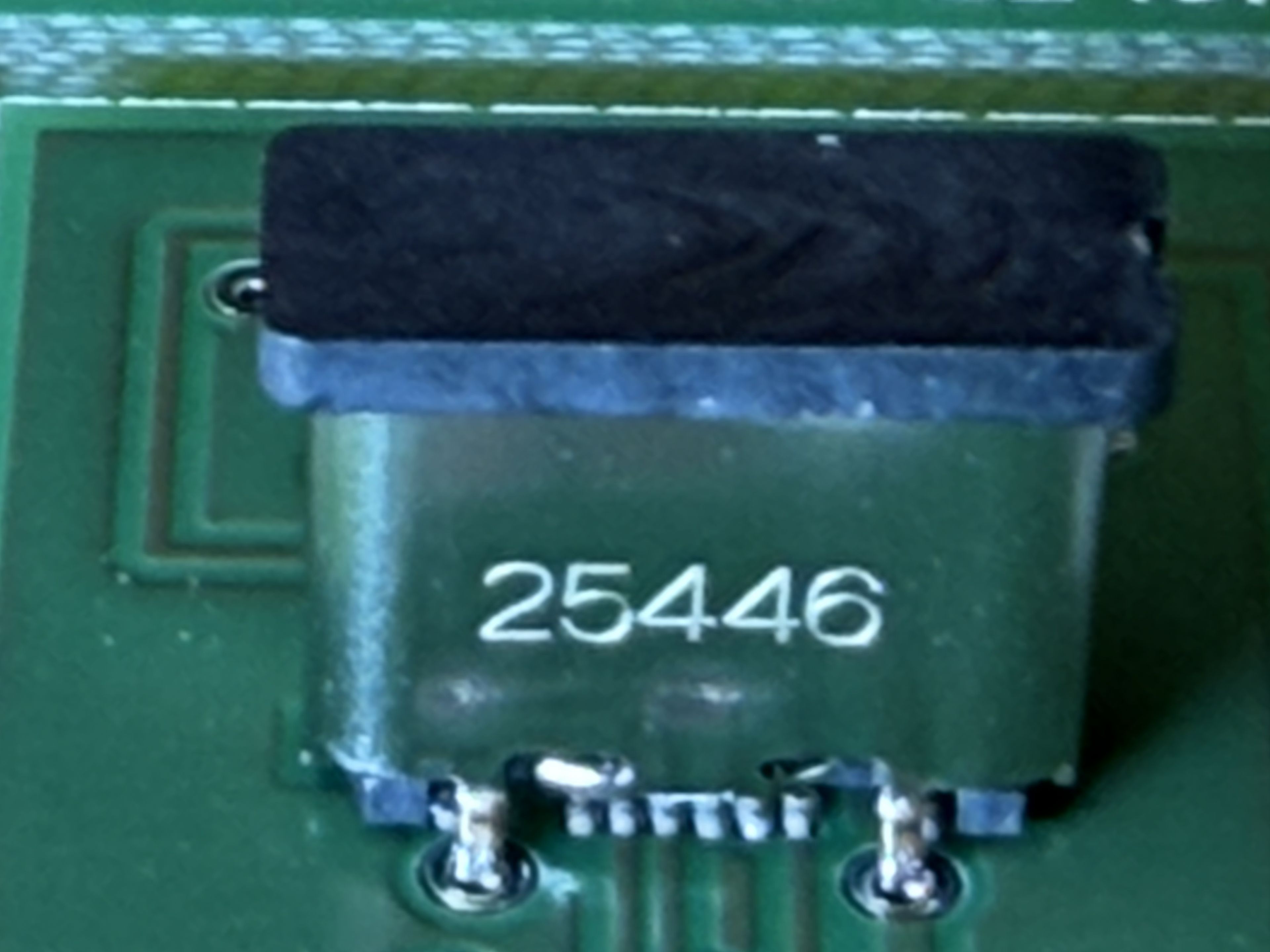
And soldered with hot air, (camera 8x zoom):
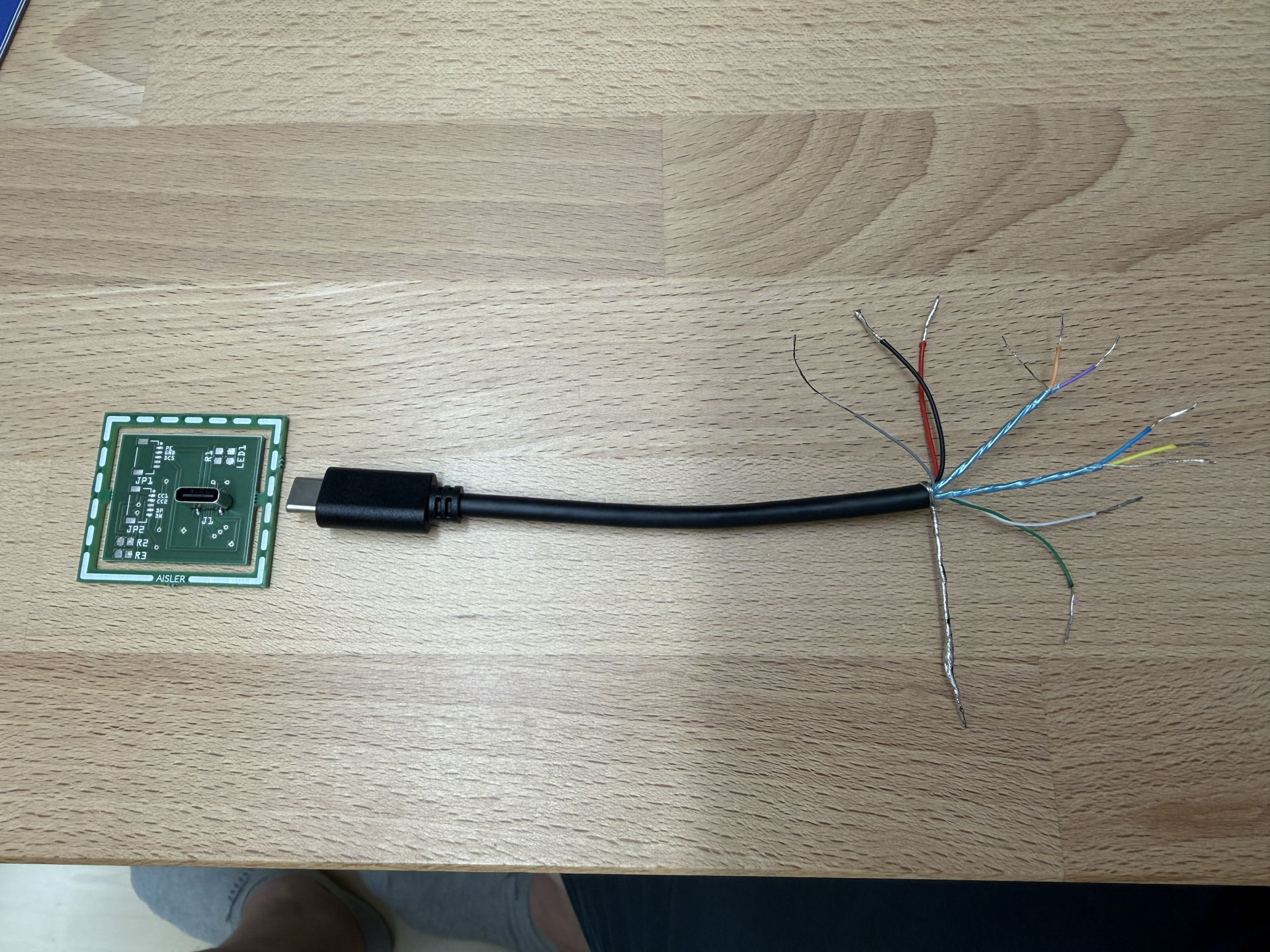
Then continuity testing with a cut USB-C cable: GND and shield in the cable are (unfortunately) connected… I make sure to keep them strictly separated. VBUS and GND are continuous with no short circuits, data lines are continuous with no short circuits, but possibly swapped (white → Data+ and green → Data-). Could be fine though — there’s no binding standard for wire colors. CC1 and CC2 unfortunately weren’t continuous through to the cut cable end. Possibly normal, I still don’t have enough experience with USB-C.
Then functional test on the USB power adapter with a USB-A / USB-C cable. Works fine — 5V DC comes through cleanly. Then functional test on the USB power adapter with a USB-C / USB-C cable. Does NOT work. 5V DC unfortunately doesn’t come through. Suspicion falls on the two CC lines (which weren’t continuous earlier) that are responsible for device-host selection.
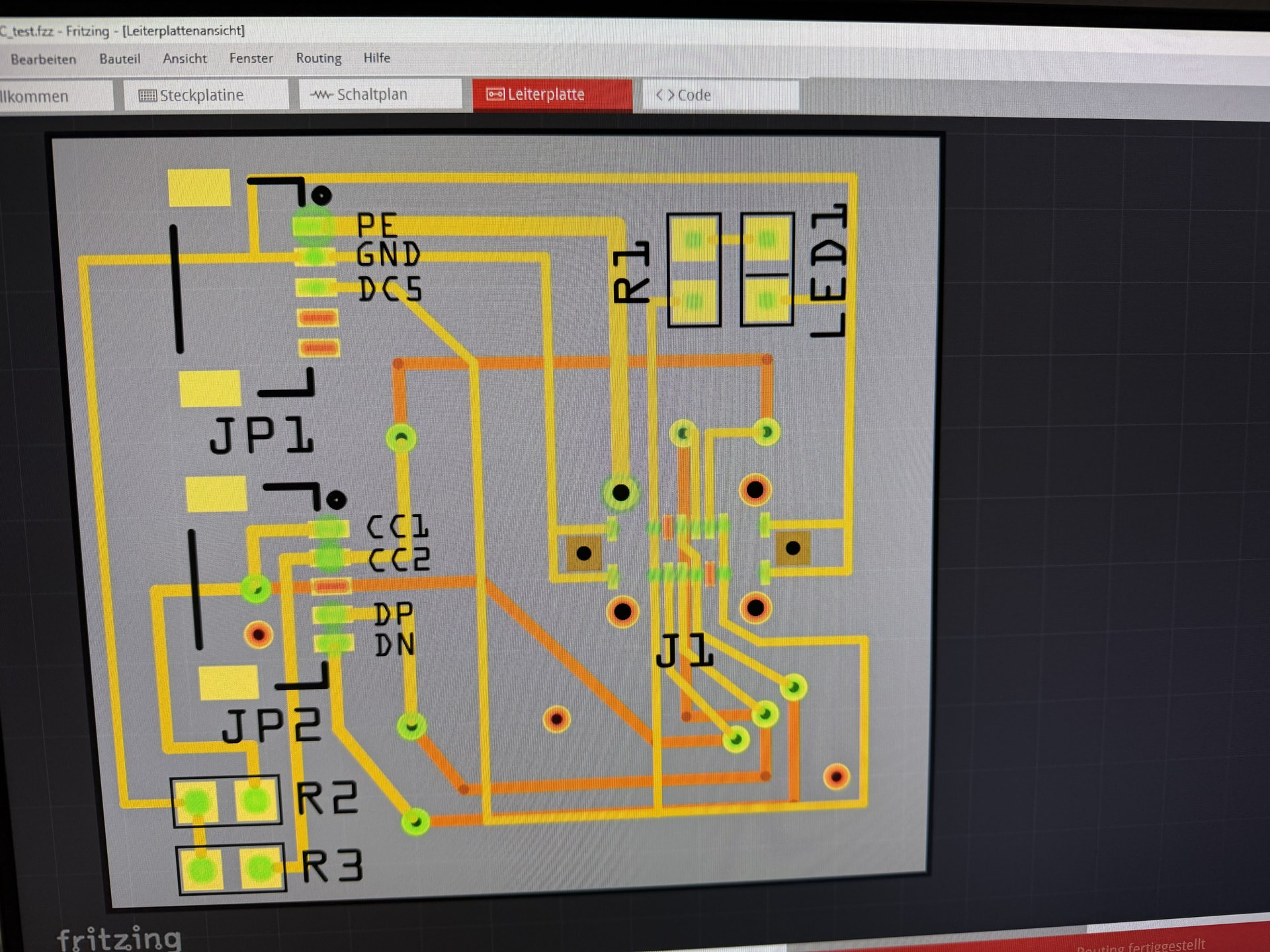
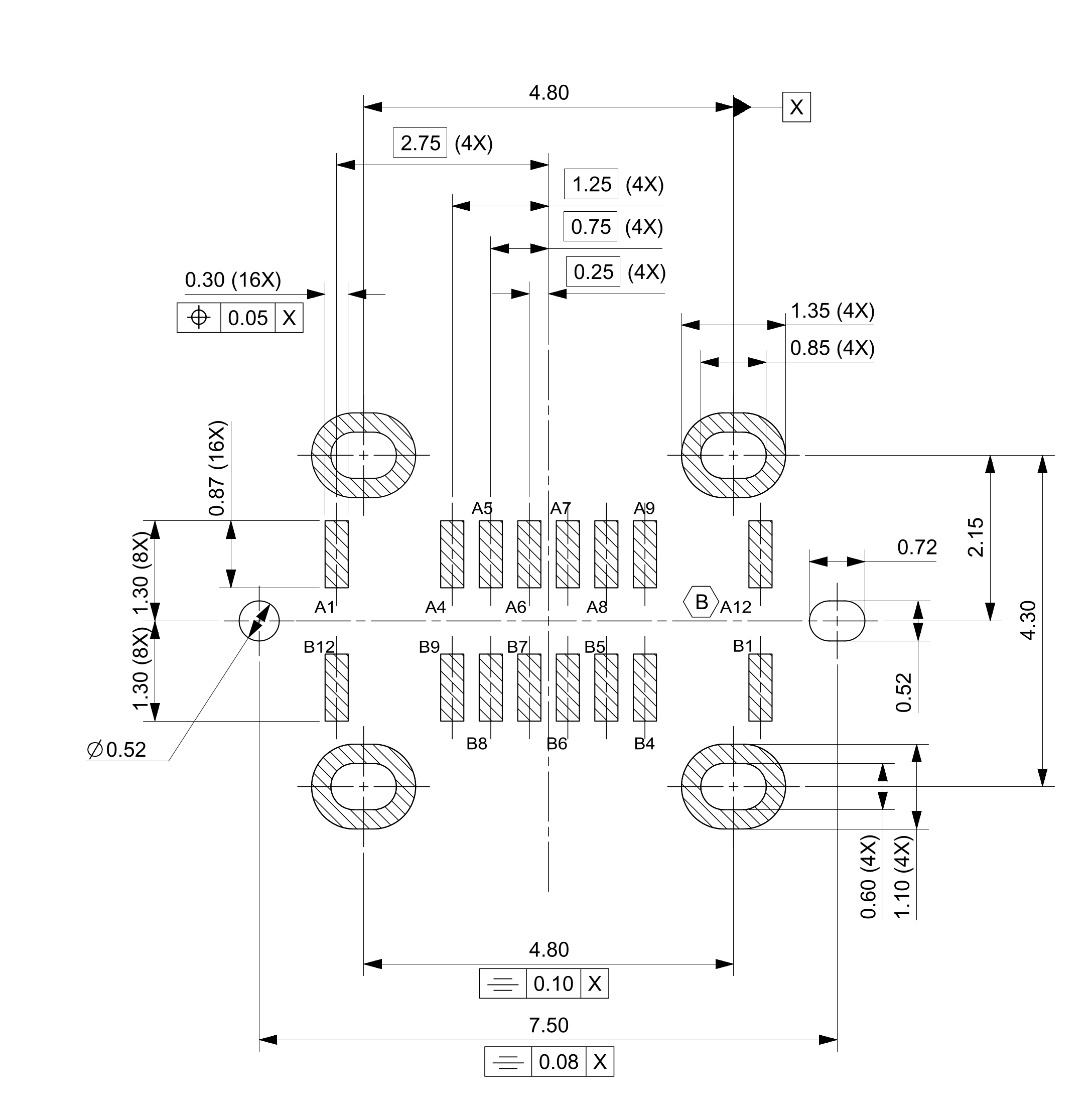
Then I identified the problem. In the Fritzing component, everything is mirrored. Probably bottom and top views are swapped. A comparison of the datasheet and the layout confirms this. The two CC pins are A5 and B5. In my layout, however, those are left unconnected. Instead, I’ve connected the two SBU pins that aren’t actually needed. This also explains why Data+ and Data- were swapped.
Harald, are you up for doing an update?
Yes, I will. At the moment, though, I’m cycling along the Polish Baltic coast.
I’ll get in touch when I’m back at the weekend.
Best, Harald
Hi Harald, thanks for your reply and enjoy your vacation.
Hi Harald,
thanks for your efforts and sorry for my late reply.
Today I wanted to test your new version. Unfortunately, Fritzing is complaining that there’s already a component with this ID. I still have older versions of this USB-C socket in Fritzing. I tried to delete them, but that wasn’t possible either.
Could you please tell me the correct way to go about this? Thanks in advance.
Hi Ralf,
yes, that’s the standard message when the same component is about to be imported. I’ll change the ID tomorrow and maybe swap out the label in the component view after all.
Best, Harald!
So, I’ve swapped the pin assignment again. Please check it very carefully once more, just in case I made another mistake.
USB_C_molex_Ver_Ralf.fzpz (27.1 KB)
Best, Harald!
Hi Harald,
the new version loaded into my Fritzing without any issues.
I then took a close look at everything and checked the pin assignments. Everything looks really good here too. Many thanks for your support and your patience.
I’m planning to create another test board. This one is not only meant to test solderability but also functionality. On top of that, I also want to use it to test other new components that appear in my current project. I’m thinking of a heavily stripped-down Arduino Mega adapted to my needs. I won’t get to that until towards the end of the week, though. I’ll definitely be in touch and will report on the current status of the project.
Hi Ralf,
Thanks a lot for getting back to me. I’m very interested in the project.
Do you program the chip on an Arduino Uno and then remove it from the socket to solder it permanently into a circuit?
Best, Harald!
Hi Harald,
this has nothing to do with the Arduino Uno.
This project is intended to use the ATmega 2560, which we know from the Arduino Mega, as a bare microcontroller without an Arduino board.
The search for atmega 2560-16AU returned 1 result.
I want to place the microcontroller directly on my PCB just as it comes delivered. For the initial flashing of the microcontroller / flashing the bootloader, I plan to include an ISP header on the PCB.
The search for MPE 087-2-006 returned 1 result.
The initial flashing is to be done using a USBasp programmer via the Arduino IDE.
DUBEUYEW 51 AVR USB ISP ASP Microcontroller Programmer Downloader with Cable + 10Pin to 6Pin: Amazon.de: Business, Industry & Science
Subsequent flashing or debugging will then be done via the USB-C port. From that point on, my PCB should behave like an Arduino. On Arduino boards, there’s a second microcontroller that handles USB interface communication. I want to take a different approach here and use a USB-to-serial IC instead.
FTDI RS232 Interface Bridge, USB to UART, SSOP-28 | Special Controllers at great prices | reichelt elektronik
Whether it works remains to be seen — which is also why I’m making a second test board.
About a year ago, I already completed a small project using an ATtiny 85.
MICROCHIP 8-Bit ATtiny AVR RISC Microcontroller, 8 KB, 20 MHz, SO-8 | 8-Bit Microcontrollers at great prices | reichelt elektronik
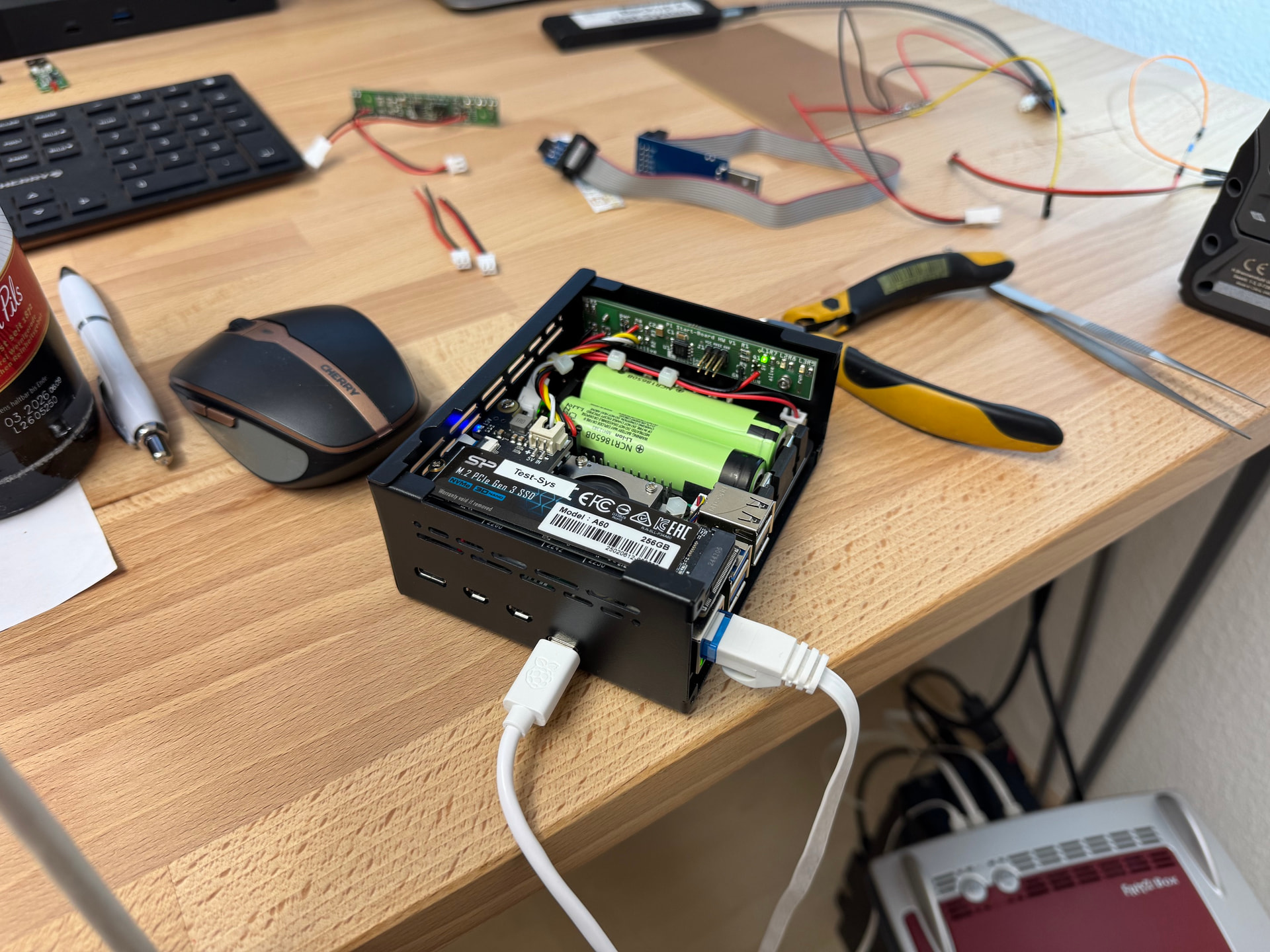
I also flashed that one onboard using a USBasp programmer. Two pictures attached.
1 Like
What a great project. I’m happy to help whenever I can…
My utmost respect!!!
Best regards, Harald!