USB-C Connector mounting hole

Project update. The test board is going into round two. One thing up front: the USB-C connector now works perfectly.

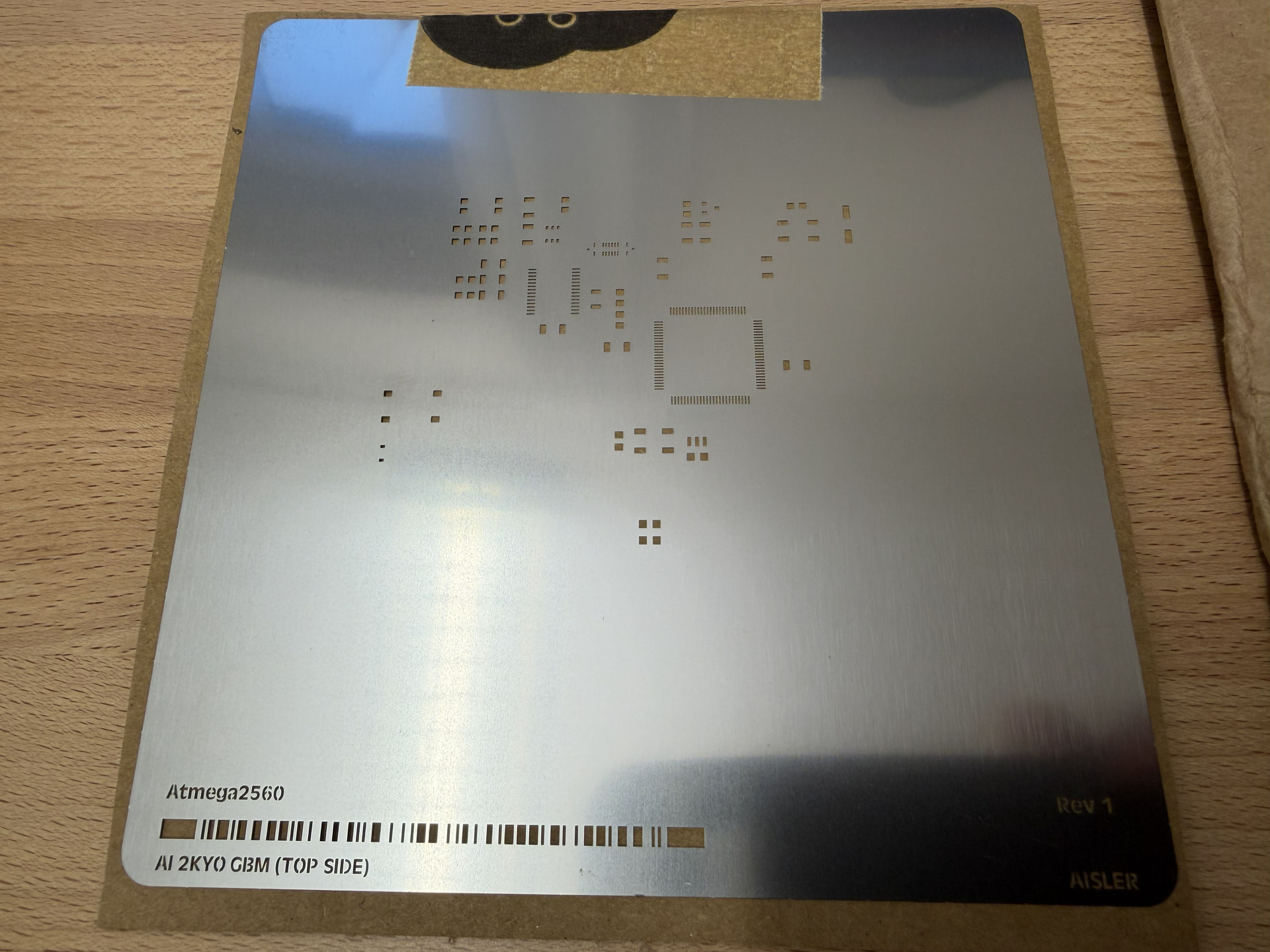
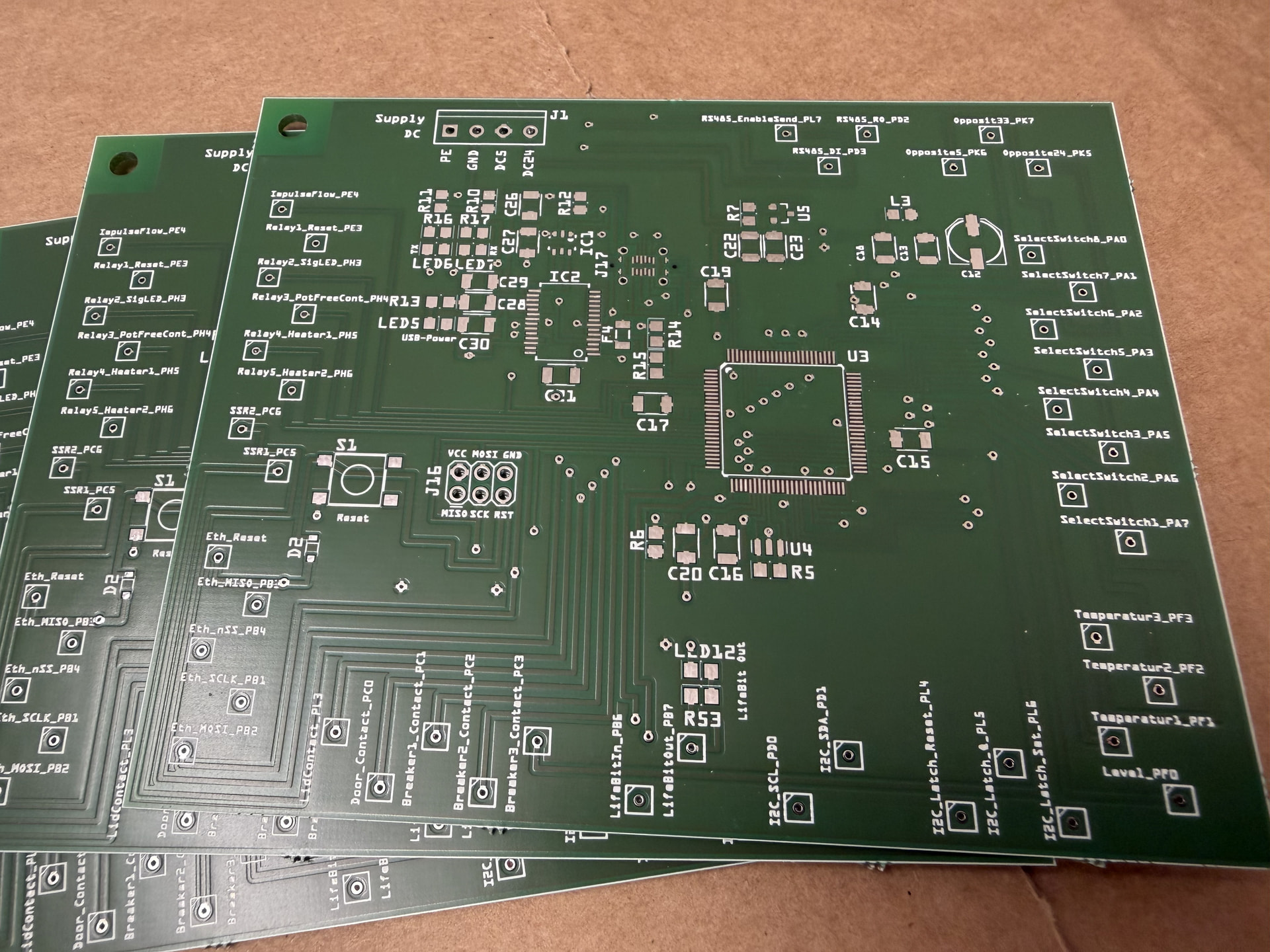
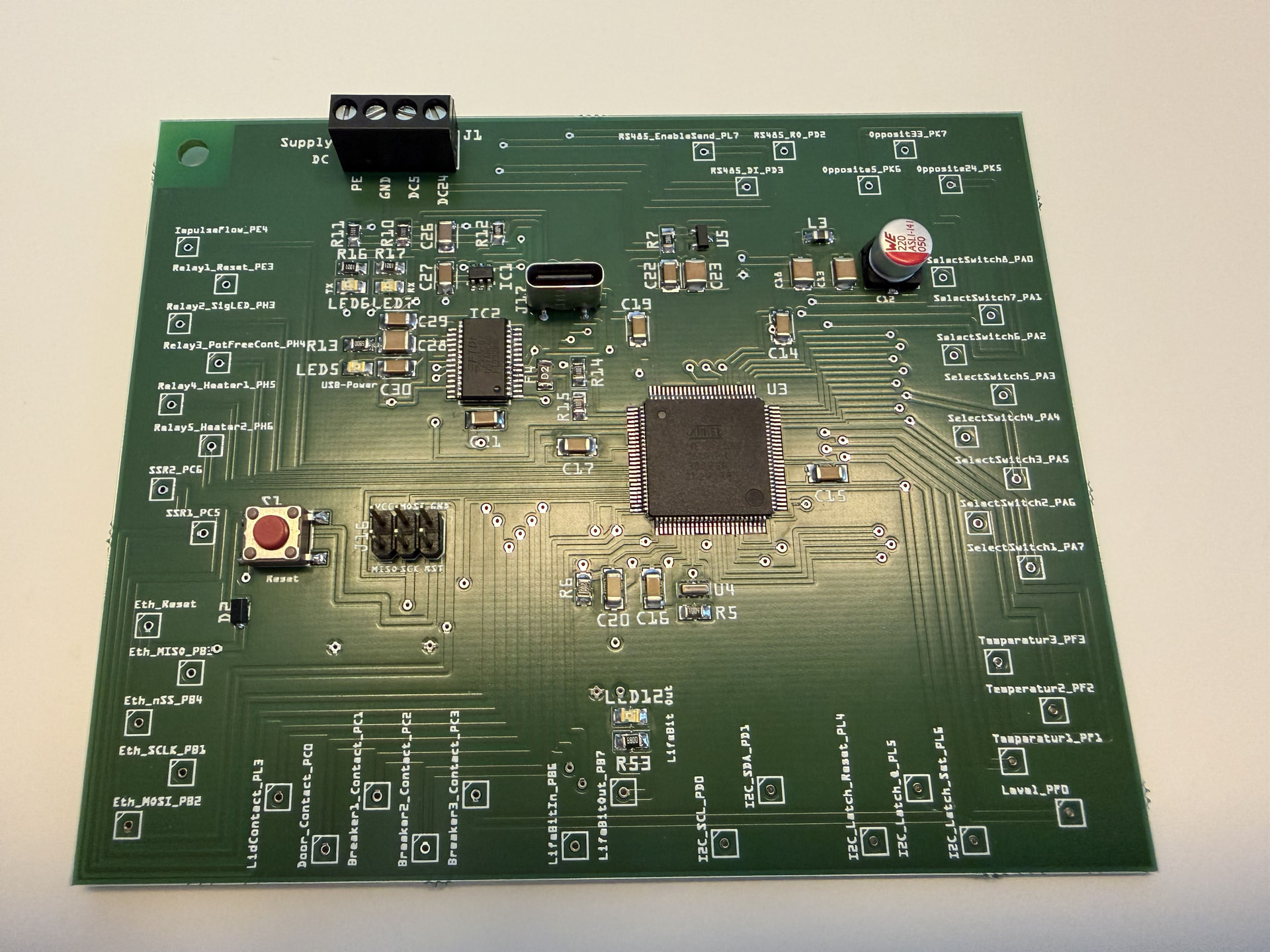
I ordered the second test board and the stencil from Aisler as usual. Here’s the result:


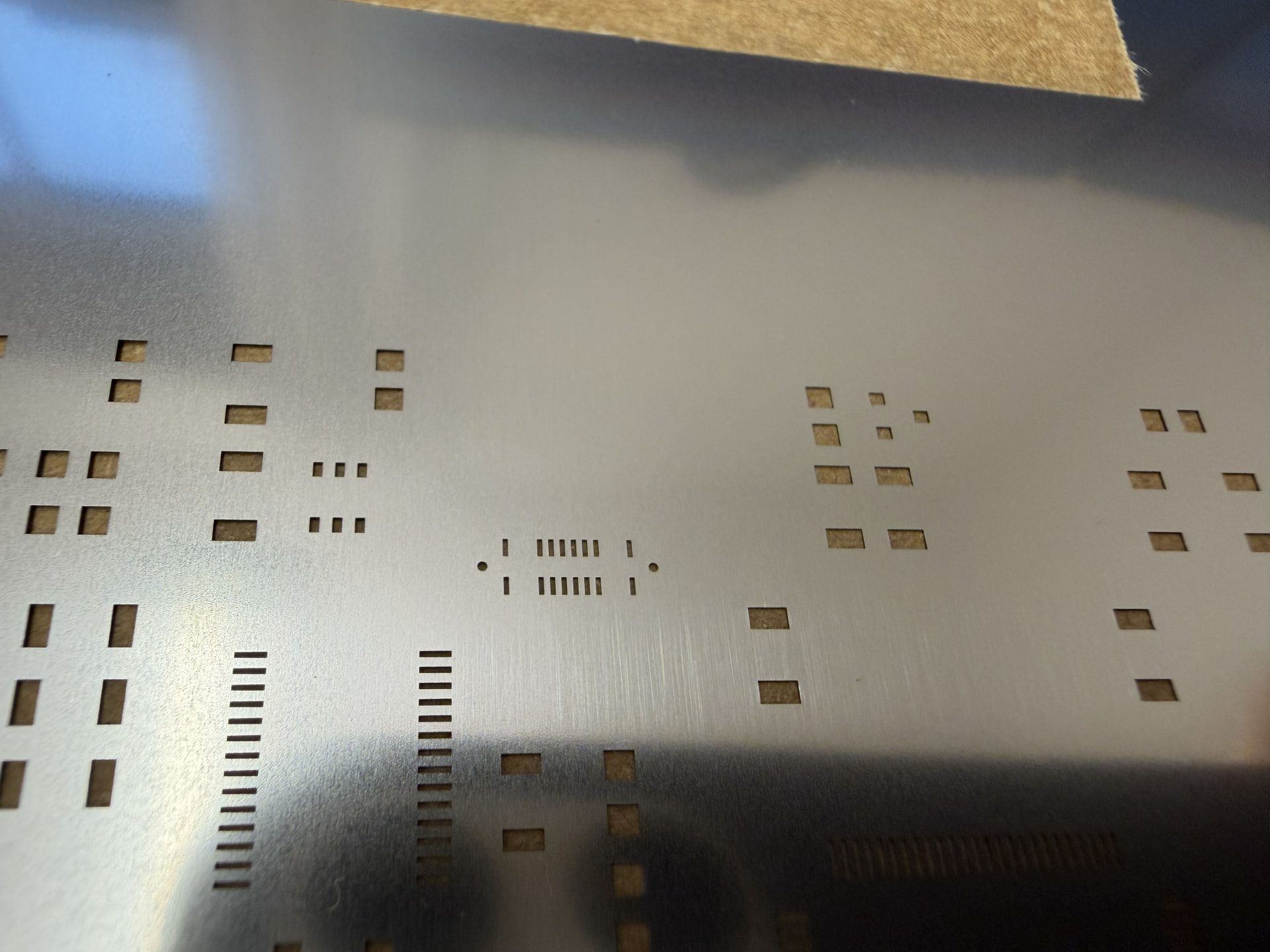
Unfortunately, the two through-holes for the USB-C connector are still in the stencil. But that’s fine — I can work around it by taping over the two holes.
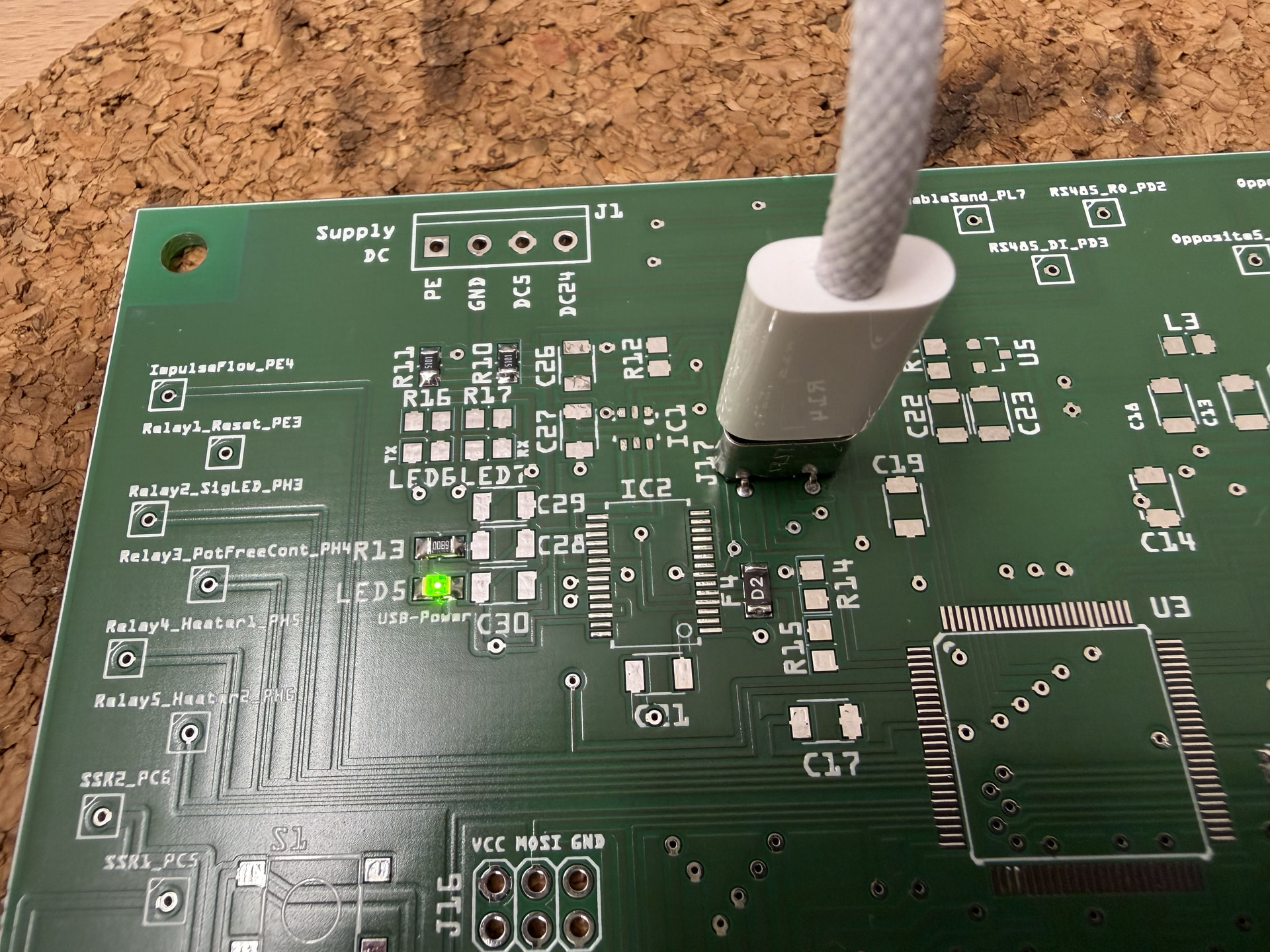
Then I soldered the USB-C connector. Solderability is still good, and the functionality is now correct too. The host/device selection via the two 5.1k resistors works perfectly, the 5V comes in cleanly, and both USB 2.0 data lines arrive as expected.
Then I populated the remaining components. I noticed 2 small mistakes in the process: 1. Diode D2 has the wrong footprint. 2. The ground plane on the board was connected to DC5 instead of GND. But both are quick fixes for next time.
Then I flashed the bootloader using the USBasp programmer. It didn’t work on the first try — I had to set the slow SCK jumper on the programmer.
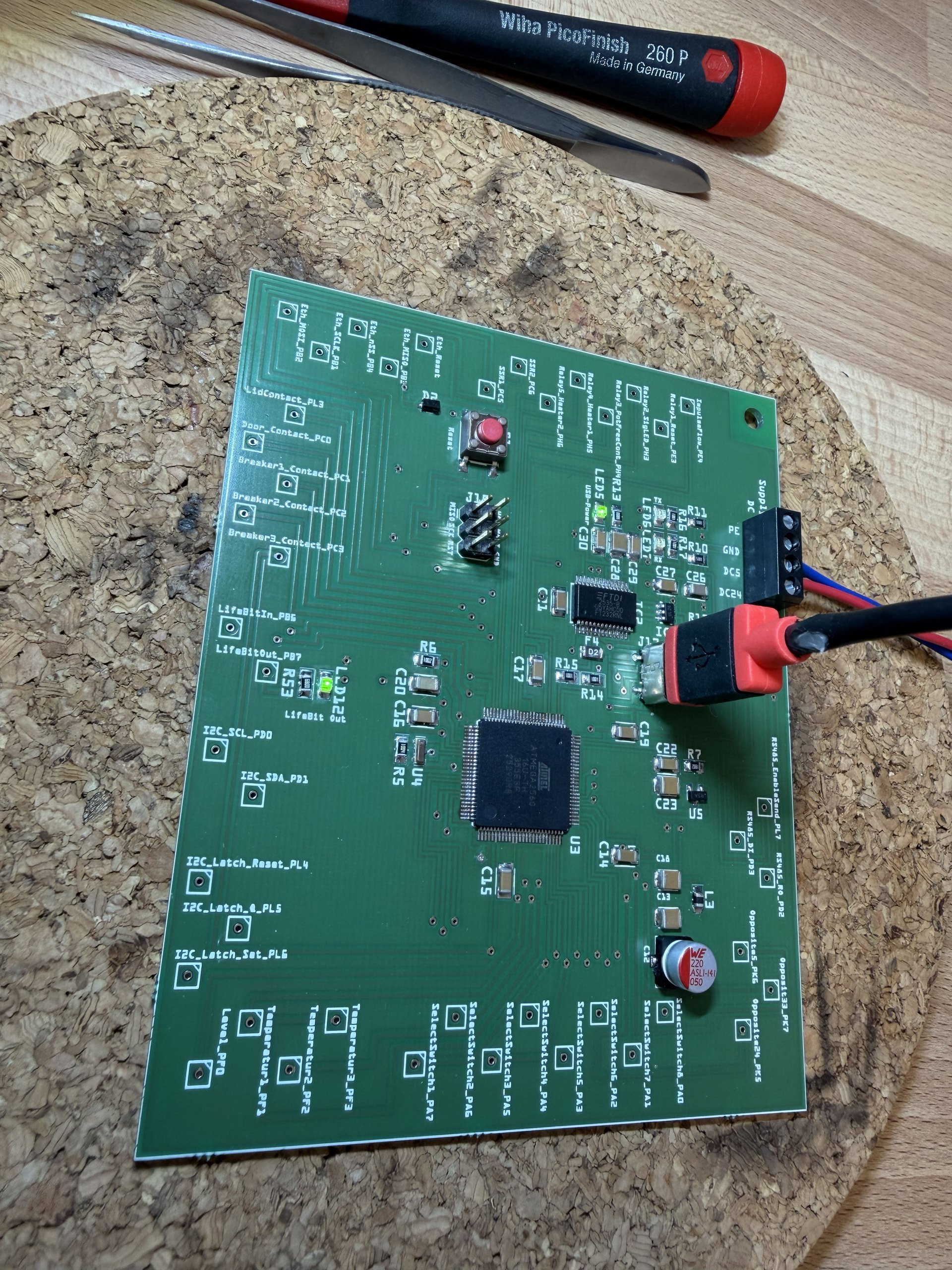
Then I tried to use my board like an original Arduino Mega. That didn’t work straight away either. I noticed that the two 5V supplies from USB-C and from the board were interfering with each other. The goal was to power the board with the 2560 via external 5V. USB-C is only needed for program uploads and serial debugging, so I power the FT232 from the 5V coming from USB. Unfortunately, I hadn’t considered that the 2560 can slightly back-feed the FT232 through the two UART data lines. The solution was to plug in USB-C first and then apply 5V to the board. That allowed me to establish a connection to the 2560 via USB for the first time. However, it didn’t always work reliably. I then discovered that the serial monitor must be closed during upload. That was never an issue with the original Arduino.
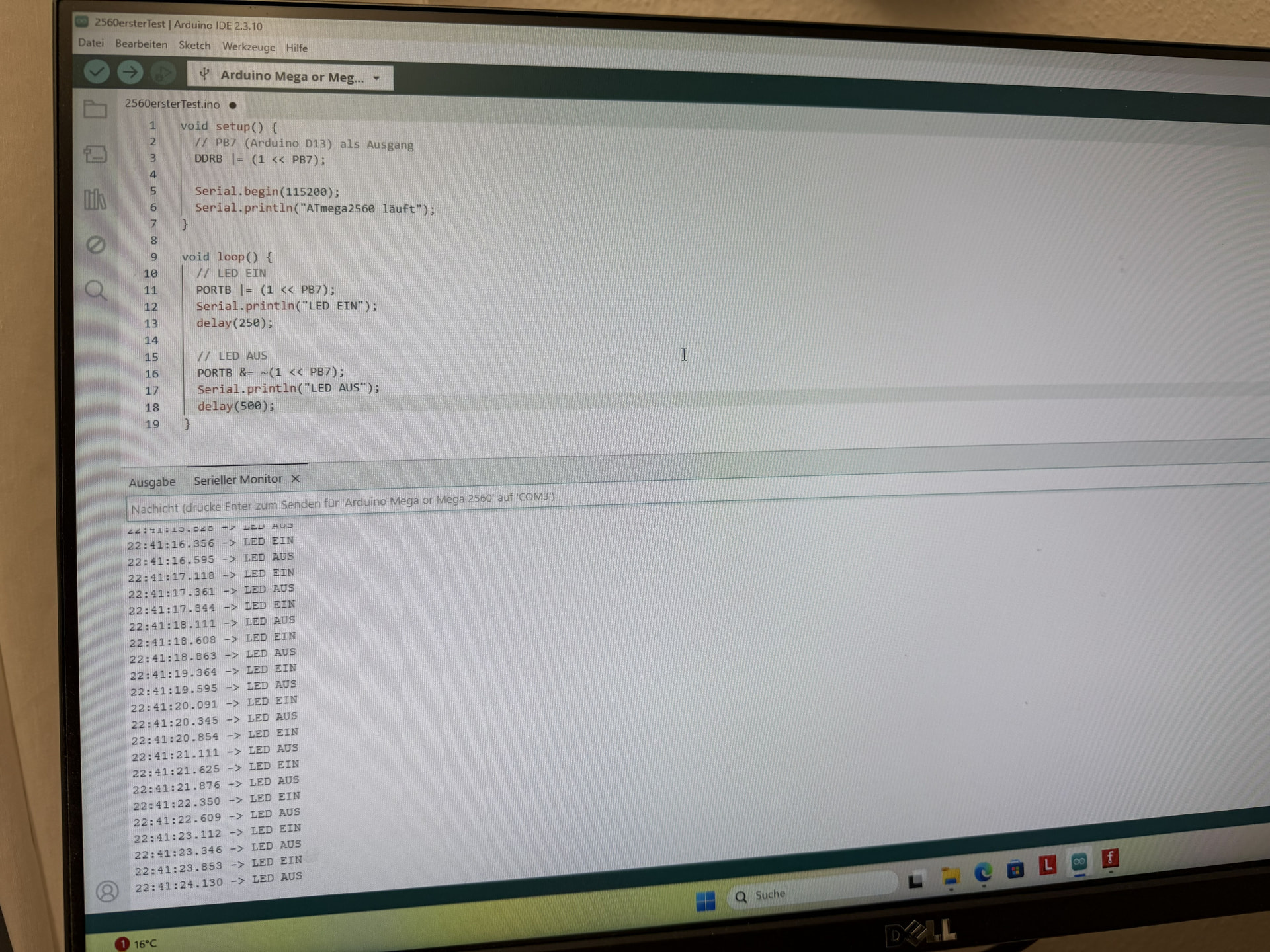
Then I uploaded some test code and got the LED blinking. It worked beautifully!
The next goal is to decouple the two data lines between the 2560 and the FT232, so I can plug in USB-C independently of the board supply voltage. I just ordered these buffers from Reichelt: TEXAS INSTRUMENTS Buffer, Schmitt-Trigger, 1.65 … 5.5 V, SOT-23-5 | Logik-ICs günstig kaufen | reichelt elektronik
I want to put one in each of the TX and RX lines.
The next goal is then to connect existing circuits to my test board — hence all the connectors around the board. These circuits are already running successfully on an Arduino Mega.
The ultimate goal is to combine everything onto a single board.

1 Like

Hi Ralf,

Congratulations, you’ve been very persistent with this.

You could also post this as a forum thread in the Projects section. There’s a dedicated topic for that. I think it’s a really nice example.

Continued success!

Best, Harald!

Could this be it?
USB Connectors.fzpz (7.5 KB)

Hi Hans,
what exactly do you mean? That’s USB A with only 4 pins. The USB C has 16 pins.

svg.pcb.USB_C_molex_217182-0001_GND_BUSS_cf5cadb7fec09cc4fdca415ff7f013b4_1_pcb

Best, Harald!

Good evening Harald…sorry! I must have misread — I only had USB on my mind and searched through my parts list and found something similar.

No hard feelings, it happens — should have read more carefully…creating parts is still a complete mystery to me…if Fritzing 1.09 ever comes out, it would be the ultimate thing to have a way to design boards exactly the way you want and a simpler parts creation process…
have a lovely evening Harald..

Best regards,
Hans

Good morning Hans,

that’s surely the development goals for the developers too. I’m just an interested user myself. Let’s wait and see what version 1.09 brings. There probably won’t be any major leaps in development though — the relatively small team isn’t working on the tool professionally, from what I can tell.

Best regards, Harald!

Morning Harald,
sorry for bothering you this early… it’s the quietest time of day…
hey, do you have a Fritzing part for an ATtiny 2313? Hard to come by here — even a blank part without labels would do… as SOIC (20 pins…) — that way it’d be small and fit nicely under a PIR sensor HC-SR501, keeping the board nice and compact… a MOSFET… for switching, and the staircase lighting would be done… I pulled the add-on for programming older ATtinys into the IDE… easier than BASCOM…
have a lovely Sunday

Cheers
Hans

Can we do something with this part? It is on the breadboard, but the PCB view is accurate.

Also, I can right-click on “Edit Connections” and enter my desired label, and I can also label the chip differently.

Here is the example:

SOIC_20_PIN.fzz (1.0 KB)

Best regards, Harald!

sorry for the late reply… harvest time takes priority…we’ve had 5 laundry baskets full of pears so far…that all needs to be processed…continuing again at the weekend…
on top of everything, Reichelt doesn’t have any ATiny2313 in stock anymore…Reichelt pointed me towards smaller CPUs, ATiny 12/A/B? I think 1 kb…that’s enough for a stairwell light and is more power-efficient too…
have a nice Fri…

sorry, slightly off-topic… do you happen to know how to get started with ESP32 home automation? sensors, I/O, a server (master I2C, no Wi-Fi, no Bluetooth) — how do you go about it? does Fritzing have anything along those lines?
thanks for any replies