E-Byte ME31-XEXX0600
Hi everyone, could anyone please help me create a Fritzing part for this module?*
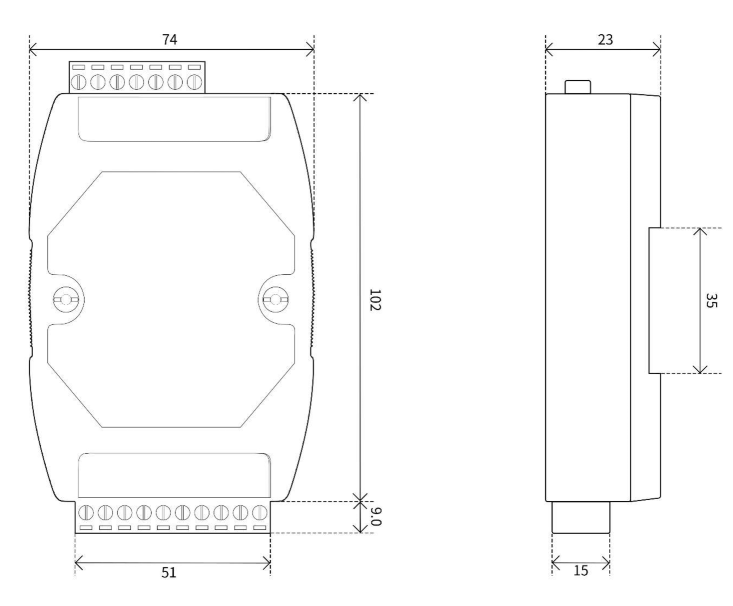
I have attached the mechanical drawing for the part, would really appreciate any help. Thank you in advance!
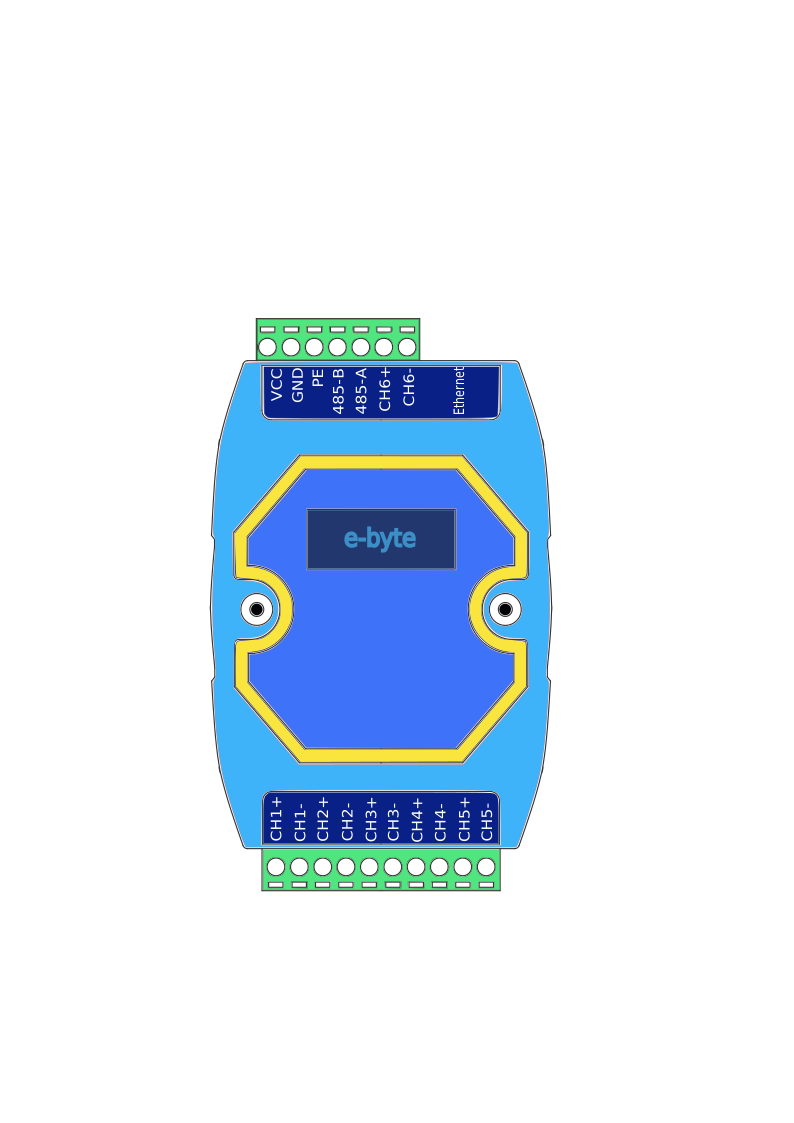
Top view
Dimensions are in mm
Datasheet
The official documentation of the part manufacture is linked here: ME31-XEXX0600.pdf
Footprint
Ethernet interface, standard RJ45 connector.
17 x 5.08mm Phoenix terminal.
Type
I did not read this
Breakout board, sub assembly, plug in module (A)
Antenna (AE)
Battery (BT)
Capacitor (C)
Diode (D)
Display (DS)
Fuse (F)
Hardware , mounting screws, etc. (H)
Jack, fixed part of a connector pair, header (J)
Relay (K)
Inductor, Coil, Ferrite bead (L)
Loudspeaker, Buzzer (LS)
Motor (M)
Microphone (MK)
Plug, moveable part of a connector pair (P)
Transistor (Q)
Resistor (R)
Thermistor (RT)
Varistor (RV)
Switch (S)
Transformer (T)
Integrated Circuit (IC)
Crystal, Oscillator (Y)
Zender diode (Z)
Other (please specifiy)
Is there a drawing of the component available as an SVG file? That would simplify things a lot…
Greetings, Harald!
Hi Harald, I will make the SVG file and provide it to you soon.
Ok, Thank you…
I will wait for the File…
Hi Harald, here is the SVG file for the module.
Please let me know if you need anything else. Thank you for your help!
1 Like
Hello,
That helps me a lot. I still need to adjust the font to the Fritzing standard and place the connection pins.
As I see it, this component doesn’t have a footprint, meaning it can’t be soldered onto a PCB.
Is that okay?
Regards, Harald!
Good evening,
here is my first Version. Is this usability, What further changes should be made?
ME31-XEXX0600.fzpz (40,5 KB)
Gruß Harald!
1 Like
Hi Harald, thank you so much for the first version!
To answer your question: Yes, that is perfectly okay. It is a large external module, so it doesn’t need a PCB footprint to be soldered onto a board.
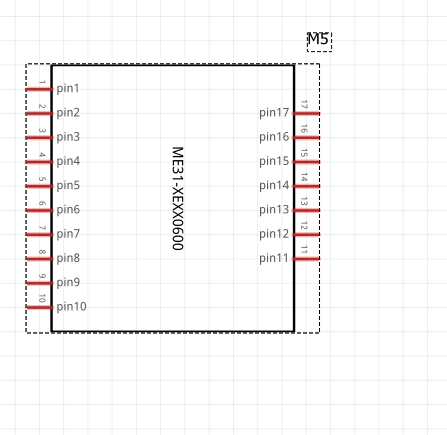
However, I have one small request regarding the Schematic View. Currently, the pins are only labeled generically (pin1, pin2, pin3, etc.). Could you please change these labels in the schematic view to match the actual pin names (VCC, GND, PE, CH1+, etc.) just like you did on the breadboard view?
Yes, of course. That’s much better. I’ll do it today!
Best,
Harald!
ok i’ll wait, thank you Harald
So, I’ve updated the schematic.
Very important: you need to remove the old component from the parts library first. After that, you have to close Fritzing and click “Save parts”.
If that’s not done, you’ll get an error message because a component with the same ID already exists.
ME31-XEXX0600.fzpz (40.7 KB)
If it doesn’t work, I can also change the ID.
Best regards, Harald!
Hi Harald,
Thank you very much! I followed your instructions to remove the old component first, and I was able to successfully use the new file without any errors.
By the way, I have a quick question. I have a voltage divider circuit on a custom PCB that is already assembled, and I want to include it in my Fritzing design. Is this something I can easily create myself in Fritzing, or would it be better for me to open a new “part help” request on the forum for it?
Thanks again for all your time and help!
Hi Muhamad,
you can do this with the parts editor. However, you’ll need at least two files for that.
The schematic symbol can be easily created with Inkscape and the Fritzing extension.
You’ll also need a breadboard view. You could perhaps create one yourself using a perfboard with the corresponding components.
You probably won’t need the PCB view here either.
I’d suggest opening a new thread in the forum. Then we can work through it step by step together.
You might want to have a read through the Creating Custom Parts guide in the meantime. Especially the section on the Parts Editor.
Cheers, Harald!
Alright Harald, I will open a new thread to do that. And yes, you are right, it seems I will only need the breadboard and schematic views for this one. Thank you