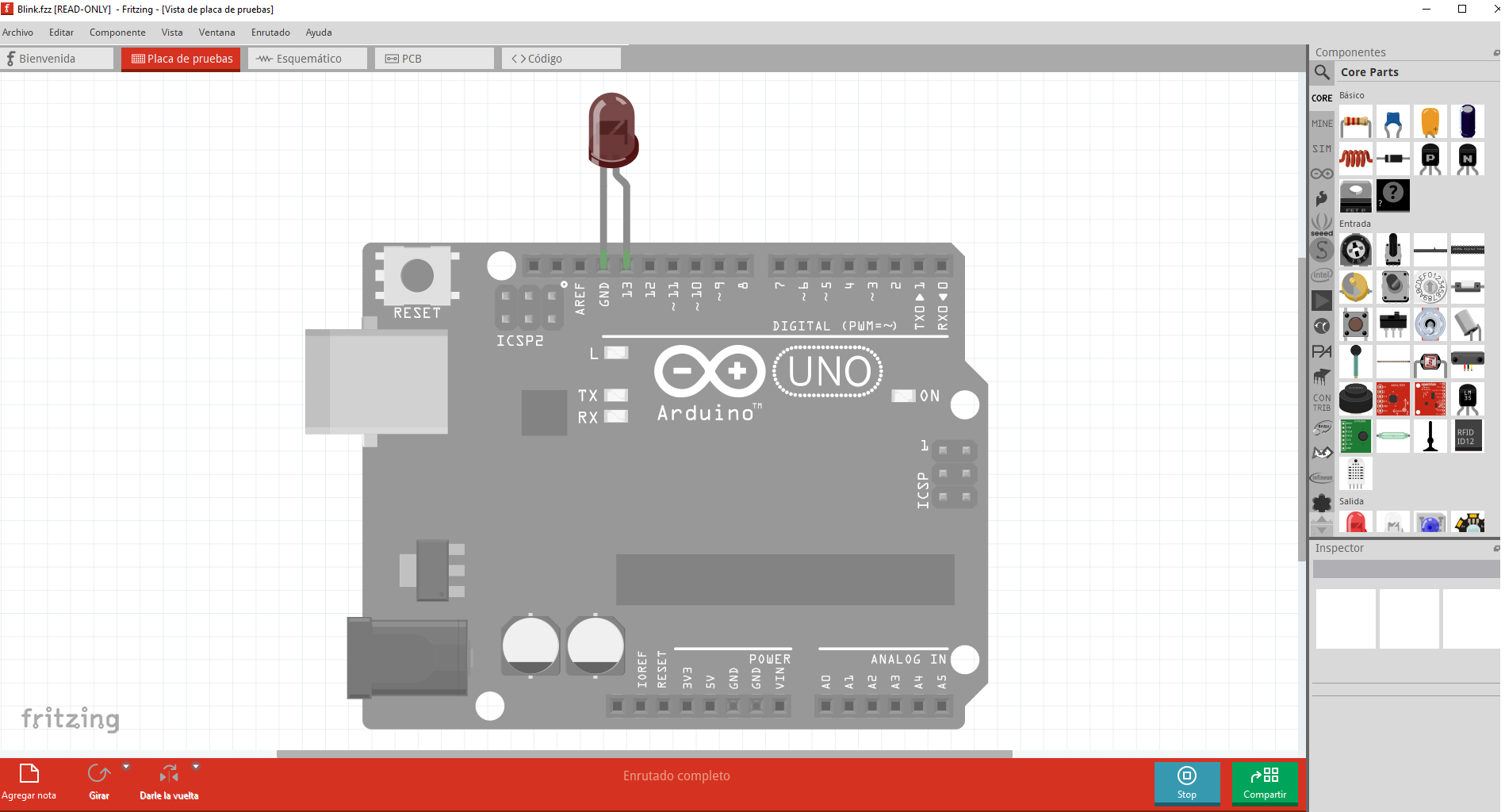
Hi, I have Fritzing version 1.0.4. I went to the examples section (File/Open Example/Arduino/Digital/Output/Blink) and it does open an Arduino with a diode between pins GND and 13 along with its corresponding code, but when I click simulate it doesn’t work (I didn’t change anything); in fact, the screen turns gray….
The same thing happens when I try to build any circuit to learn, and I thought it was my mistake….
What could be happening and what can I do to fix it?
Thanks
simulate does not support UNO, or any micro controller. Simulate is for electronics, not for code.
Geez, well, it looks like Fritzing shows up as one of the most prominent Arduino simulators….
Do you know any software to simulate Arduino? I’m using Tinkercad, but it doesn’t really convince me for more personal and professional projects….
Fritzing is a tool to design and document the physical electronics. Functionality has been added to simulate the electronics, but there has been no intent to simulate computer code. Fritzing has the ability to store code with a sketch, and some versions of Fritzing, with some versions of the Arduino IDE could be configured to load that code into a physical Arduino board and run it. No simulation, actual physical hardware. I never spent much time with that load and run functionality. I only used code in Fritzing as documentation, to show how the electronics in the sketch was intended to be accessed by the code.
A web search for “Arduino code simulator” turns up some options. One was titled “11 Best Arduino Simulators in 2026 (Online and Offline)”. You’ll need to check what is being referenced. From a quick glance, it looks like some search results are for hardware circuits, not code.