I have done Fritzing and Google searches for the part, to no avail.
Name of the part❗Rd03D
Top view❗
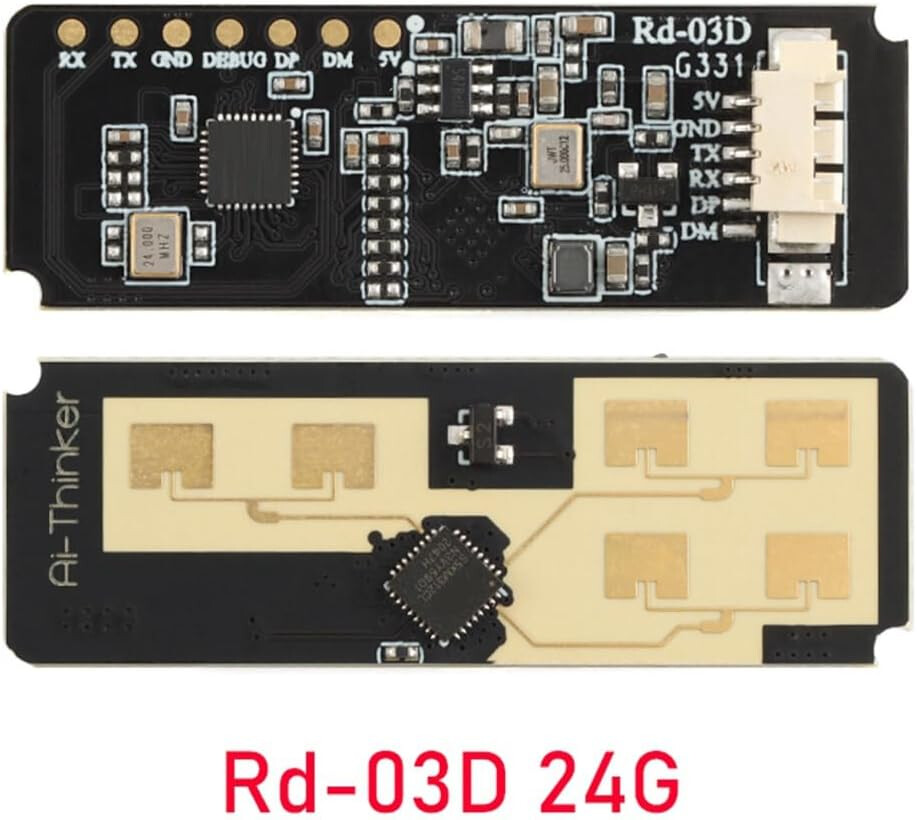
Datasheet❗https://en.ai-thinker.com/Uploads/file/20231016/20231016032622_13559.pdf
Type
Breakout board, sub assembly, plug in module (A)
I have done Fritzing and Google searches for the part, to no avail.
Name of the part❗Rd03D
Top view❗
Datasheet❗https://en.ai-thinker.com/Uploads/file/20231016/20231016032622_13559.pdf
Type
Breakout board, sub assembly, plug in module (A)
This part may do what you want. There are a number of confusing issues, the connector appears to be 5 pins (and is set to 5 pins) although there are 6 pins on the board, the photo shows only 5 pins on the connector connected (another look at the photo says there may only be 4 pins connected in which case the part is currently wrong!). There is no pcb view as the part doesn’t appear to fit on a pcb the chips and connector will get in the way. In any a case here is the part.
edit:
Replace part with one with only 4 pins on the connector to match the real part. You will need right click on the part in your mine parts bin and select delete part, then shut down Fritzing answering yes to save parts and yes to save parts bins (but no to save sketch) to really delete the part. On the restart Fritzing will let you load the new part.
ai-thinker-Rd-03D.fzpz (7.6 KB)
Peter
Thanks - that is what I want to use, although I can see the confusion. The actual part has seven solder points on the back - the horizontal row of points and a JST type socket; the five vertical points under the AI-Thinker logo (although on my part the socket only has four). As the data is transferred via the TX and RX pins, and the unit is powered via the 5v and GND pins, it suits my requirements exactly. 
I can cut the connector down to 4 pins easily enough with confirmation that the actual part is only 4 pins. I’ll replace the part in a bit. The 7 pads are in both breadboard and schematic now.
Peter