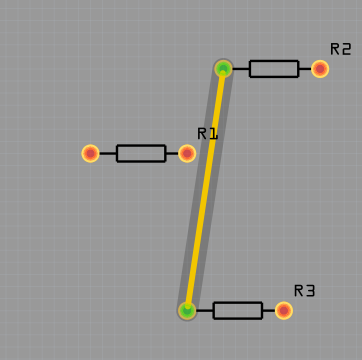
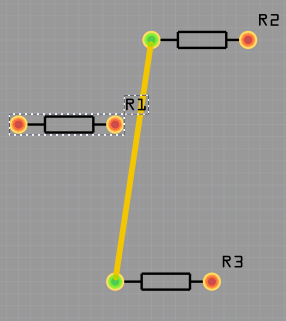
The Label that is created should be close to the part, but it is not and could easily be confused now for a different part. I think you should be able to move the label to be in the right place (even to move it to the front or back of the board where it is of use). My attempts to grab any label and move them has been futile. There are even labels that are currently positioned off the board.
…
Gunde Mega Shield.fzz (22 Bytes)
Would be ideal for the label to be closer to the element, but even better if a user could move, rotate, delete, and add labels. Basically having control or capability to have the appropriate labels where they are of help.
Just realized that the file I sent you was a dud. I tried opening it on my end to the horror of realizing the file did not save (no error message that I noticed when saving). I have the Gerber files if they would be of any use (would upload but it looks like the site does not allow zip files).
@schneideris Can you try sending the Gerber files again? This should work now.
I can’t restore the .fzz from the Gerber files, but I’d do some forensics to find out what could have triggered the dud.
As for silkscreen labels, that feature is there.
For sure, the default placement can be improved in some cases, but the label can be freely moved around, rotated, hidden, or changed in size.
One gotcha is that the labels have a low priority when clicking (they’re not correctly aligned with the visual order).
When trying to click on “R1,” you will catch the trace, not the label.