HI , I am new to fritzing. I need a part created. ESP32-2432S028R Cheap Yellow Display (CYD). it has ESP-WROOM -32 on it. Much appreciated your help. Thank you
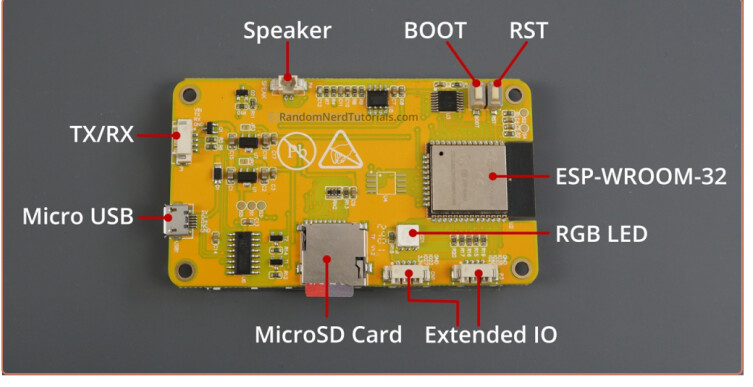
Doesn’t appear to be a part. I can make one, it will be up in a while.
edit:
This part should do what you want. Note pcb view has been suppressed as not useful.
edit2:
Replace part with one with VIN in the tx/tx connector (4 pins not 3!). If you have already downloaded this part you will need to delete the part (right click on it and select remove part then exit Fritzing and reply yes to save parts no to save sketch and yes to save parts bins then restart Fritzing before it will let you reload this part.)
ESP32-2432S028R.fzpz (7.4 KB)
Peter
2 Likes
Hi Peter,
Thanks a lot for your help.
Would you be able to add the SD card slot into it. the program I am working on has a feature to save data on the microSD card. Not sure this is ok or not as its inbuilt.
Please add the VIN pin to the part.
Thanks again,
The cd card is there on the bottom of the board (it is on the bottom of the board as are the connectors and otherwise doesn’t show up in Fritzing as it has no external connections.
I didn’t see a VIN pin in the documentation. I will however have another look.
edit:
There is no listing that I can see for a VIN pin of any kind. I would assume it is being fed from the USB port. All the connectors listed in the article are present.
Peter
1 Like
HI Peter,
Thanks for the update…
There is a VIN pin located at the TX/RX Connector where you can connect an external battery. I have attached a screenshot for the reference.

Thank you once again,
Inoka
Old eyes (and bad documentation, no one mentions a VIN pin.) Missed the 4th connector on the rx/tx connector. Fixed and replaced the part.
Peter
2 Likes
Hi Peter,
Perfect design…
Thank you so much for taking the time to help me. I’m sure others who use this will also appreciate your work and efforts.
Take care!
Inoka
When I look at the pin numbers on this “part” I don’t see any marking of Vin, I just see single numbers. Are these official IO numbers or just numbers for this part?
It looks like the pins are labelled in the photo:
VIN
TX
RX
GND but when i hover over this in Fritzing it just says “A pin 9”
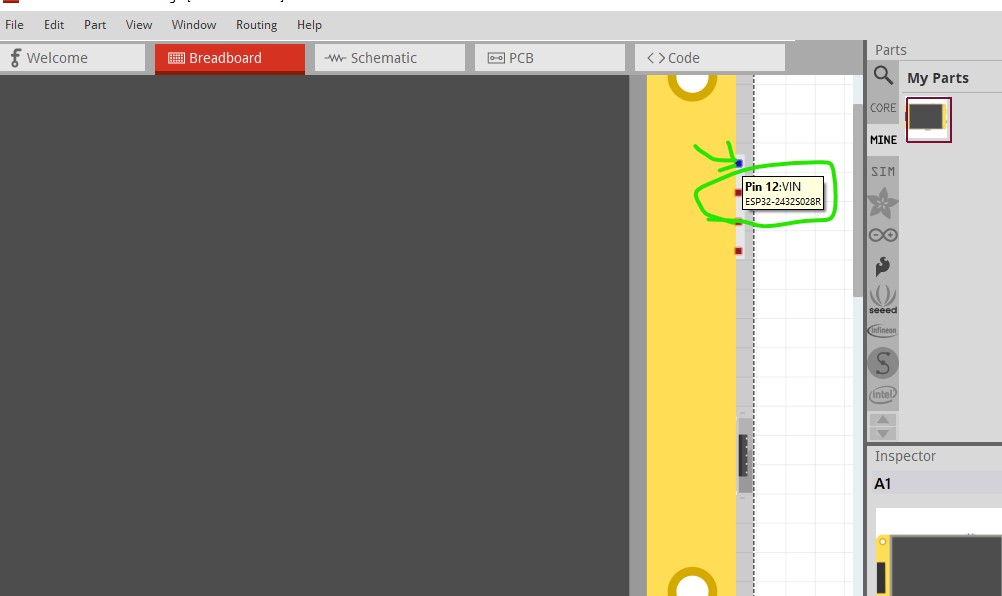
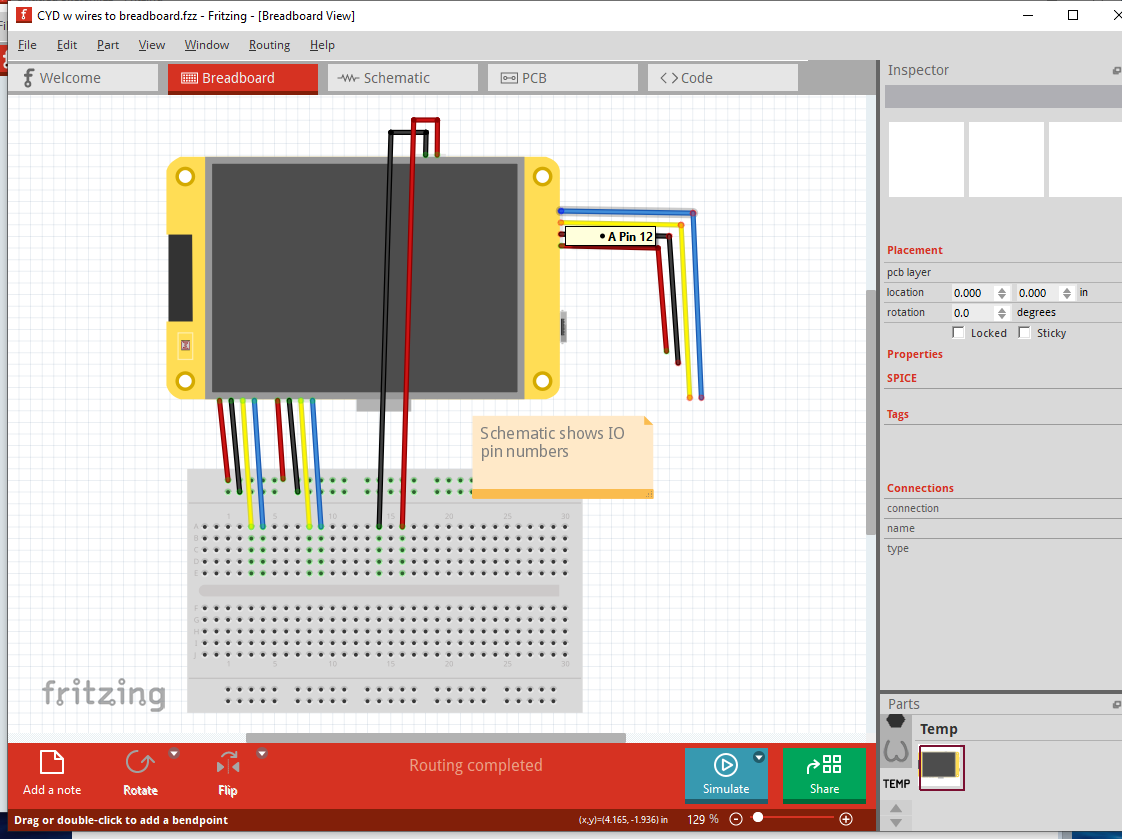
This is how it looks for me. I can get more info if I go to Schematic mode, but it would be nice to see it directly like for you.
When I am over CYM I just see “A”. I see that your popup includes a more descriptive name "“ESP32-24 …”
If you hover (without clicking the mouse button) in the red rectangle, it should show you the same information as in schematic like this
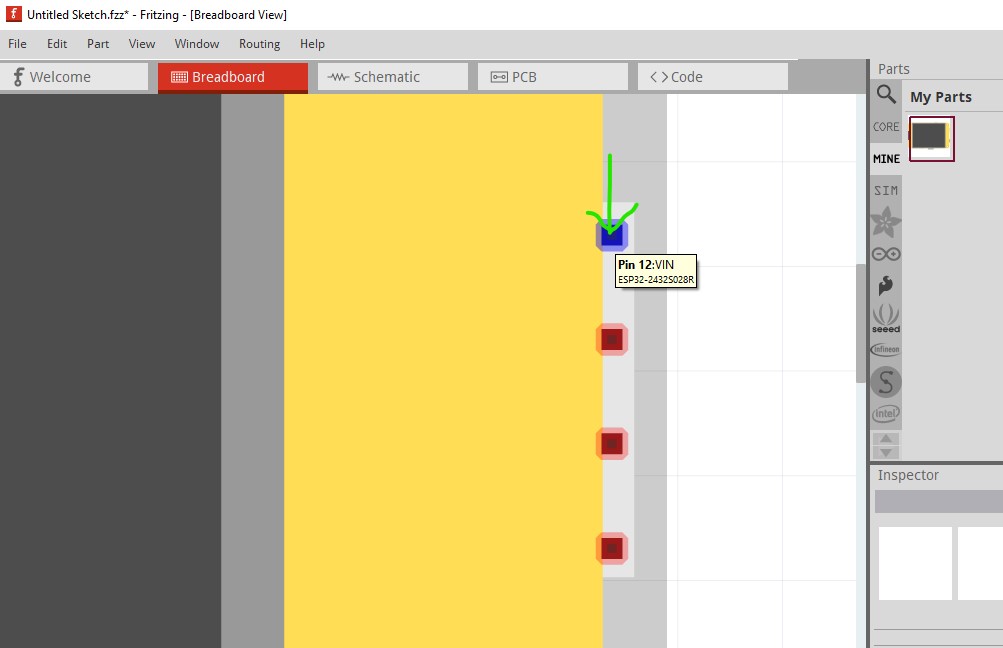
My capture program removes the arrow on the red dot (seen in the pad below it) thus the green arrow that I added with the capture program. When you move the cursor over the red square it should change color like this
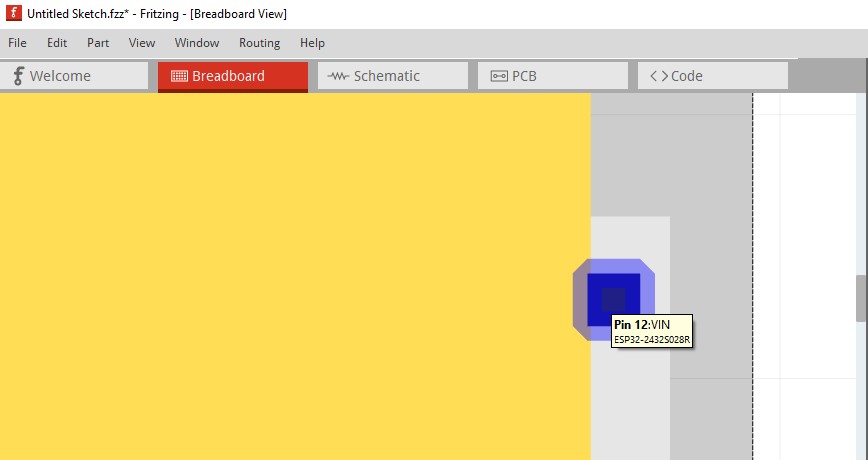
and display the data shown here (in real life the mouse cursor arrow is in the center square but the capture program deletes it!) and the data should come up like this. You may need to zoom in to get the cursor in the correct place. After a minute or so it will revert as well and you need to move it on to the square again to refresh it.
edit
Sorry missed one capture, if you hover outside the red rectangle you will get this display which looks like what you are getting, zoom in some more and hove in the red rectangle should work.
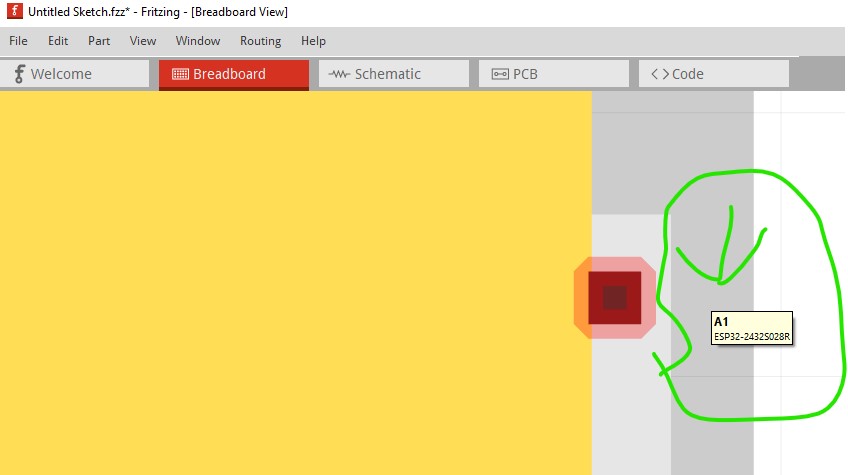
Peter
1 Like
I tried but didn’t get the extra info.
I thought maybe the wire going to the pin was disturbing.
SO I disconnected the wire, and then I got the info!
That may mean that the wire is blocking your view of where the pin is. If the mouse cursor isn’t in the red square in the image immediately above you will get the data (no pin data) displayed beside it which appears to be what you are getting. Try moving the mouse around in the wire a bit and see if the data appears (it should if you hit the red square which should be possible if not necessarily easy.)
edit:
This is either a bug or working as designed (0.9.3b the oldest version I have does the same thing so it isn’t a recent change!) Hovering over a pin with a wire only displays the pin number (I have never noticed this before however!) Moving the mouse pointer around does not change that so the wire appears to be interfering with the data display.
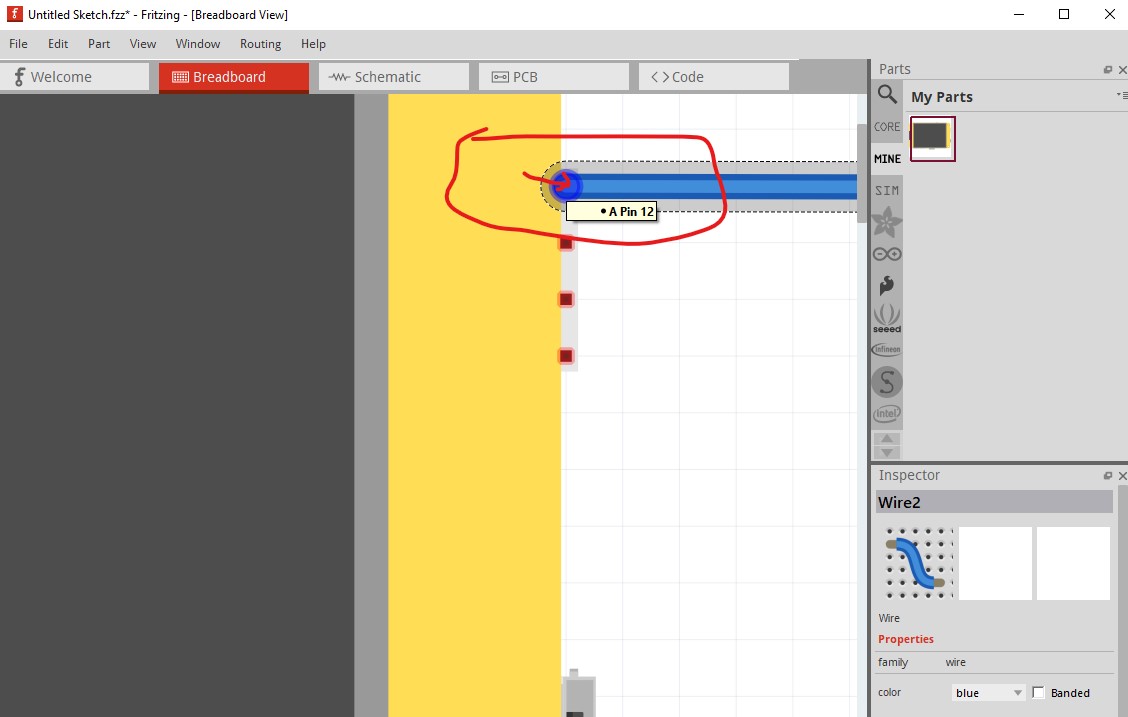
Without the wire the pin reacts normally.
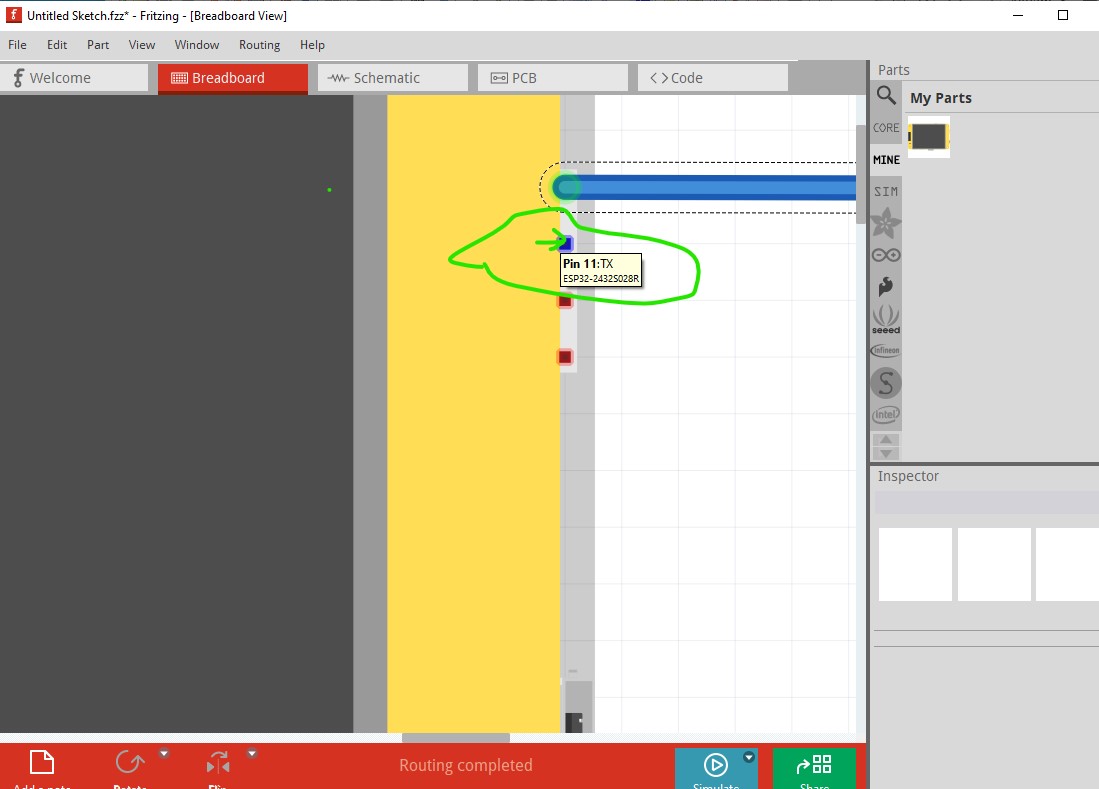
If this is decided to not be a bug an enhancement request would probably be in order to get the functionality added if possible (it may be too difficult though!)
Peter