I expect this is going to be the easiest way to identify .fzz files with the problem:
Start Fritzing and enable the debug log
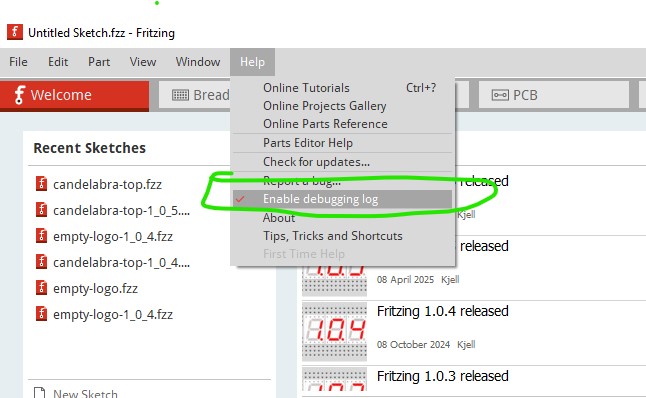
Then File→Open→candelabra-top.fzz (this is 1.0.6 but 1.0.4 does the same thing so either will do!)

Then look for this error message in the debug log. If it appears the .fzz file has the problem. Correcting it may get exiting though. I don’t think fritzing will select the logo in error (and I can’t find its id in the .fz file, although I think it should be there.) So you may need to edit the .fz file and remove the offending element like this:
unzip the .fzz file
edit the .fz file with a text editor
delete all instances like this and save the .fz file
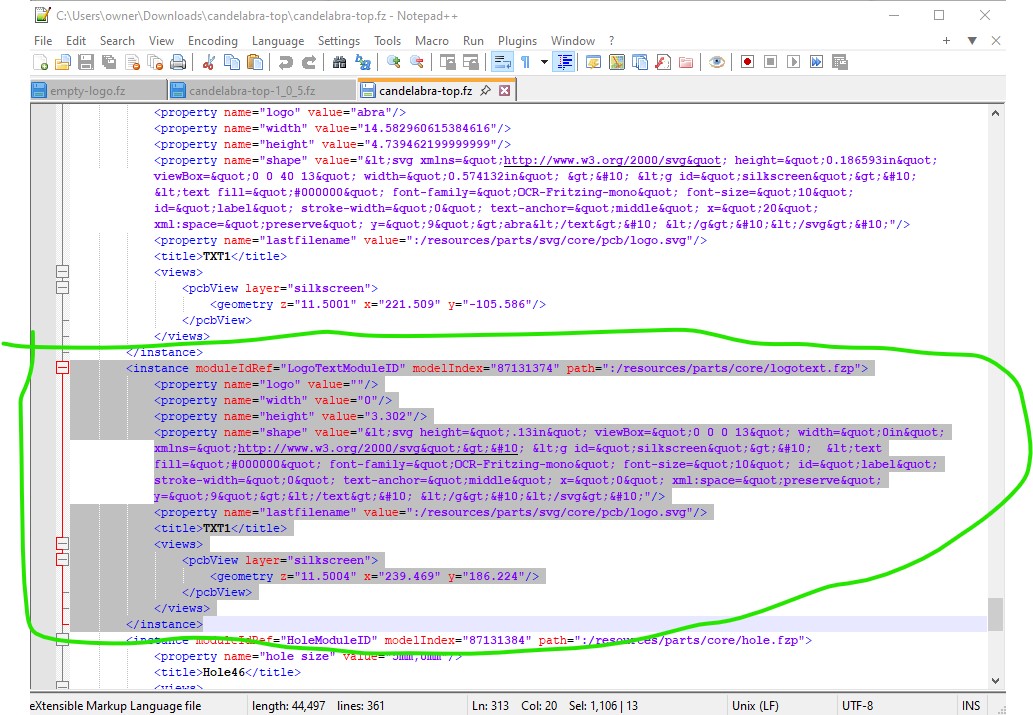
then rezip the .fz file and any .svg and .fzp files in the unzip directory back in to a .fzz file (the svg and fzp files are for parts that are not in core parts and are needed in the .fzz file!) Loading that new .fzz file should not get the error above anymore and should now be good to go (keep a copy of the original .fzz file for backup though, because this may screw up somehow! Safety first!)
Peter
